Pika challenges OpenAI and Sora with new AI video generator features

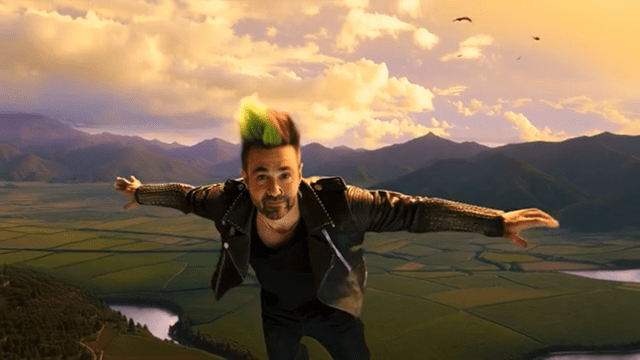
- Pika just released the Pika 2.0 AI video creator with advanced customization tools
- You can upload and customize characters, objects, and settings with the new Scene Ingredients feature
- Pika 2.0 offers a contrast to OpenAI’s Sora by aiming at individuals rather than big studios
AI video creator Pika Labs is metaphorically elbowing OpenAI and Sora for some of the limelight with a new version of its platform. Pika 2.0 comes with a suite of new features for making custom videos with AI and arrives only weeks after the company released the Pika 1.5 model with its host of new visual effects.
Pika is even taking unsubtle jabs at OpenAI by describing Pika 2.0 as “Not just for pros. For actual people. (Even Europeans!)” in reference to the enterprise focus of Sora and its limited global release that so far doesn’t include European countries.
Rivalry aside, Pika 2.0 has plenty of new perks, making it fairly appealing. The most notable is Scene Ingredients. Imagine a virtual kitchen with a pantry of video elements you can pick from. You choose the characters, props, backgrounds, and other bits you want to incorporate and let Pika’s AI blend and bake them.
Let’s say you want to make a clip of a surfing cat in space. Until now, you’d need to write a prompt for the video, perhaps with an image reference for the cat. With Scene Ingredients, you can upload your favorite cat’s photo, a stellar background image of the sky at night, and a picture of your dream surfboard, and Pika will mash it up into a delicious, cohesive scene.
Even without images to embed in videos, Pika 2.0 better understands text prompts thanks to its upgraded text alignment. If you’ve ever typed a prompt into an AI tool and gotten something that only vaguely resembled what you wanted, you’ll likely notice how Pika is less likely to mess up your idea when making the video.
If you ask for a dragon to fly over a medieval castle during sunset, the AI will be much more likely to show a video with a dragon that actually flies, a castle that looks like a castle, and a sunset that doesn’t look like a lava explosion. And with upgraded motion rendering, all the characters in the video will walk, fly, roller skate, or cartwheel without looking like they are floating or that their joints don’t all connect.
Pika for all
Pika’s pitch is about giving the average person or small group control over making videos without making it too complicated. Hence, the deliberate, if oblique, mocking of OpenAI and Sora for their Hollywood-level focus projects. Pika 2.0 is aimed at those making clips for TikTok of marketing videos for side hustles.
That doesn’t mean Pika has no other competition besides OpenAI, though. There are AI video platforms for all kinds of projects: Pollo, Runway, Stability AI, Hotshot, and Luma Labs’ Dream Machine have something to offer the average aspiring AI filmmaker.
If you want to try out Pika 2.0, it’s available to free and paid users, with limits on the free tier. You can also switch back to earlier models if you desire to.
You might also like…

Pika just released the Pika 2.0 AI video creator with advanced customization tools You can upload and customize characters, objects, and settings with the new Scene Ingredients feature Pika 2.0 offers a contrast to OpenAI’s Sora by aiming at individuals rather than big studios AI video creator Pika Labs is…
