macOS Sonoma 14.6 unlocks dual display capability for the MacBook Pro 14-inch M3 at last
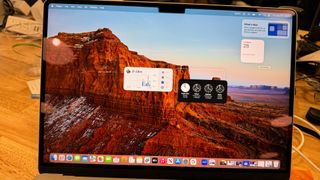
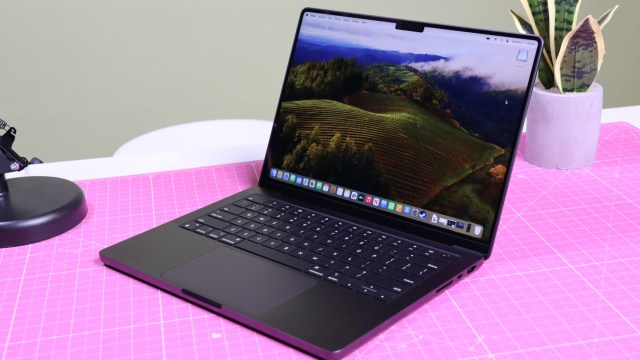
Apple just released a new version of macOS, and with the update to Sonoma 14.6, an important new feature has been brought to the base model (vanilla M3) of the MacBook Pro 14-inch – namely support for dual displays.
With macOS Sonoma 14.6 installed, owners of this MacBook Pro model can now use two external displays with the laptop while it’s in clamshell mode, meaning when the lid of the device is closed.
Previously, the base model of the MacBook Pro 14-inch M3 only supported the use of one display when in clamshell mode, whereas the higher-end spins on this laptop with the M3 Pro and M3 Max processors could handle two. The strange thing was, MacBook Air M3 models also supported using two monitors in this way when they debuted in March 2024, leaving us in a rather odd situation where the Air M3 was superior to the entry-level Pro M3 laptop for multi-display support.
Apple promised to remedy this situation at the time, and the solution has finally arrived with the Sonoma 14.6 update – after quite a wait, it must be said.
After installing this update, your MacBook Pro 14-inch with vanilla M3 chip will be capable of supporting two external displays at a resolution of 5K (at up to 50Hz) if the lid is closed, or one external display at a resolution of 6K if the laptop lid is open.
If you’d like more details on this development, you can check out the macOS Sonoma 14.6 support document, and you might also want to see the support document specifically about using dual monitors with a MacBook Air or MacBook Pro with M3 chip.
Stay safe and up-to-date with macOS Sonoma 14.6
As well as this important piece of functionality for the MacBook Pro 14-inch M3, macOS Sonoma 14.6 delivers several fixes for vulnerabilities which are detailed in this support document about the update’s security content. MacRumors notes that luckily there are no reports of these vulnerabilities being exploited by bad actors.
Apple has addressed and documented these security issues here, of course, so that will bring attention to them and possibly mean more folks are looking to exploit these vulnerabilities. Therefore it’s a good idea to make sure you update your Mac to this latest version, if you’re running macOS Sonoma, at the earliest opportunity you get, to ensure your device is as secure as possible.
You can do this by opening System Settings, going to the Software Update section, and downloading the update for free. macOS Sonoma 14.6 should show up if your Mac meets all the requirements.
YOU MIGHT ALSO LIKE…
Apple just released a new version of macOS, and with the update to Sonoma 14.6, an important new feature has been brought to the base model (vanilla M3) of the MacBook Pro 14-inch – namely support for dual displays. With macOS Sonoma 14.6 installed, owners of this MacBook Pro model…
