Garmin has new solutions for watches stuck on the ‘blue triangle of death’

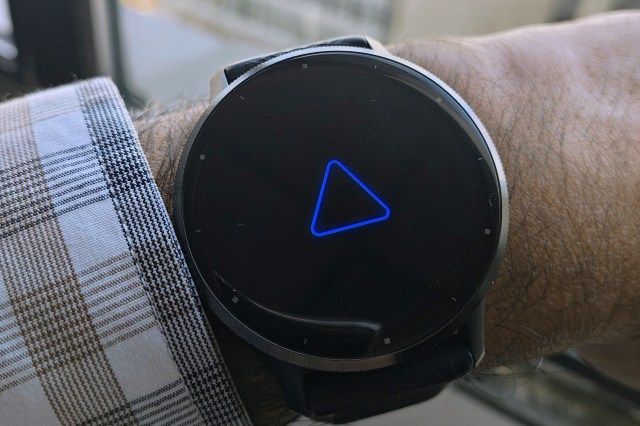
Garmin has shared new ways to fix its smartwatches that are stuck on the “blue triangle of death,” and says it has resolved the underlying issue causing a boot-up error that’s been stopping owners from using their watches. The steps should get more watches working again — but some models will lose data in the process.
“We have resolved the underlying issue causing some devices to be stuck on the start up screen or a blue triangle,” Garmin spokesperson Natalie Miller tells The Verge. The Garmin Support Center page now displays the same message in a green banner that was previously red, but recommends that users still experiencing the issue should “visit support.garmin.com for steps to resolve the issue.”
There’s still no explanation as to what caused the issue, but many users, including those reporting and discussing the issue on the r/Garmin subreddit, suspect it was related to using activities on their Garmin watches that involve its GPS functionality.
The company shared a message on its Garmin Support Center page yesterday suggesting users could potentially resolve the issue by resetting their devices (pressing and holding its power button until it powers off), but it has since updated that page with more information. For those with devices that successfully power up normally again after a reset, the company now recommends syncing it with the “Garmin Connect app on your phone or via Garmin Express on a personal computer” to “resolve and prevent the issue from occurring again.”
For users whose devices still won’t boot past the start up screen after a reset, Garmin now offers additional steps that vary between affected models. For watches in the Epix, Fenix, Instinct, Descent, and Enduro lineups, Garmin says the boot screen issue can be resolved by forcing a restart while devices are connected to a PC or Mac with the Garmin Express software installed. “The watch should complete a sync with Garmin Express. Once the sync is complete, you can disconnect the watch from the computer. The watch should boot up normally.”
Garmin also warns that a factory reset will result in data loss including Garmin Wallet
For users of watches in Garmin’s Forerunner, Vivoactive, Venu, and Approach golf lines, the company says a full factory reset of the device will be necessary, which involves a specific series of button presses. However, Garmin also warns that a factory reset will result in data loss including Garmin Wallet, Connect IQ content such as watch faces and apps that have been downloaded, body battery data, and customized data fields.
The issue also affects Garmin’s Edge cycling computers. The company suggests connecting those devices to a Windows computer and manually locating and deleting a CPE.bin file. If that doesn’t resolve the issue, a “master reset” will instead be needed which will require the device to be paired with a smartphone again afterwards.
Update, January 29th: Added comment from a Garmin spokesperson and noted that the company says the underlying issue has been resolved.
Garmin has shared new ways to fix its smartwatches that are stuck on the “blue triangle of death,” and says it has resolved the underlying issue causing a boot-up error that’s been stopping owners from using their watches. The steps should get more watches working again — but some models…
