Adobe Express adds Firefly AI to its free plan for next level creativity


The all-in-one creative suite Adobe Express is getting a wave of new features; chief among them is the introduction of the Adobe Firefly generative AI.
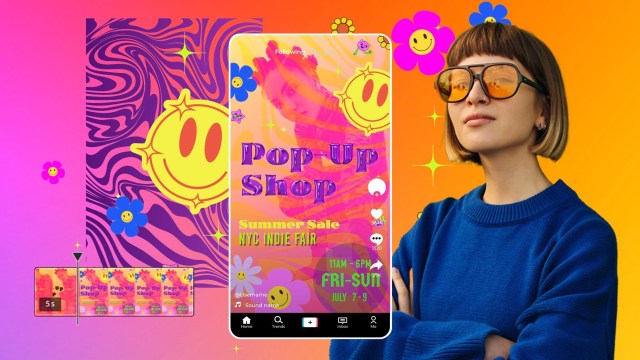
With Firefly being added, you will be able to create “custom image and text effects” using nothing more than a simple text prompt. The official trailer displays these tools in action as it showing the steps of how to create a poster for a neighborhood event. Firefly is used to change the basic lettering of a short phrase into a “purple gloss balloon” font. It can also be used to generate decorative backgrounds for posters.
So it’s nothing groundbreaking or anything that will blow your mind, but it is a nice addition to the Express toolbox. The best part is it’s available on the free version of Adobe Express, meaning anybody can take the AI feature out for a spin.
We do want to warn you to not expect too much from this rendition of Firefly. Like a lot of other free image generators, the results can look rather nightmarish, especially when they involve people. It’s nowhere on the same level as Generative Fill on Photoshop. We recommend keeping things simple, like throwing in graphical flourishes, if you ever decide to try out the Express AI.
The company states the prompts support over 100 languages including French, German, Japanese, Spanish, as well as Brazilian Portuguese. Something we found a little funny is how Adobe clarifies that the content Firefly generates is “designed to be safe for commercial use.” Given how several companies with AIs are currently being sued over copyright issues, it looks like the Photoshop-developer felt the need to offer some reassurance to its customers.
Notable non-AI features
The update introduces a lot of other non-AI tools. For the sake of brevity, we’re just going to focus on the more notable ones.
For instance, you have Quick Actions for faster editing. These actions can remove the background in images, immediately convert a video into a GIF, edit PDFs, and “animate a character using just audio”. That last one is fittingly called Animate from Audio which will have “characters come to life” as their bodies automatically sync up to recorded dialogue. It takes some of the busy work out of animating the finer details.
Adobe is also introducing an all-in-one editor consisting of various design elements and pre-made templates for social media platforms. So if you want to make videos for TikTok or Instagram but don’t know how to start, the editor can help you out tremendously.
Availability
Everything you see here is currently available on Adobe Express for desktop. A full list detailing each feature can be found on the official website. The company says it has plans to bring the update to the mobile app soon, but declined to give an exact date for the future patch in its announcement.
It is great to see Adobe offer some of its latest tech for free. Photoshop can be very expensive. If you’re looking for other options, check out TechRadar’s list of the best Photoshop alternatives for 2023.
The all-in-one creative suite Adobe Express is getting a wave of new features; chief among them is the introduction of the Adobe Firefly generative AI. With Firefly being added, you will be able to create “custom image and text effects” using nothing more than a simple text prompt. The official…
