Windows 11’s AI-powered feature to make games run more smoothly is for Copilot+ PCs only, we’re afraid

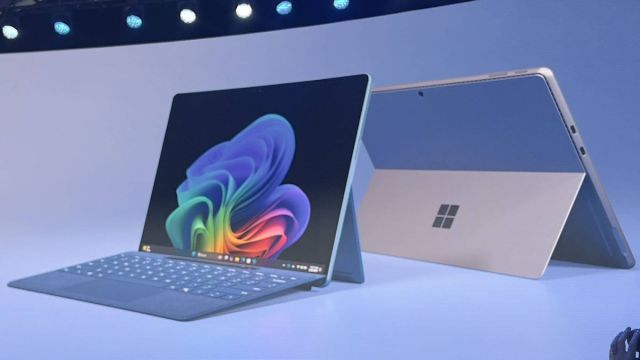
Windows 11 is getting a trick to help the best PC games run more smoothly, although this previously rumored feature comes with a catch – namely that it will only be available to those who have a Copilot+ PC with a Snapdragon X Elite processor.
The feature in question, which was leaked in preview builds of Windows 11 earlier this year, is called Auto Super Resolution (or Auto SR), and the idea is that it automatically upscales the resolution of a game (or indeed app) in real-time.
An upscaling feature like this effectively means the game – and it seems gaming is very much the focus (we’ll come back to that) – is run at a certain (lower) resolution, with the image upscaled to a higher resolution.
This means that something running at, say, 720p, can be upscaled to 1080p or Full HD resolution, and look nearly as good as native 1080p – but it can be rendered faster (because it’s really still 720p). If this sounds familiar, it’s because there are similar solutions already out there, such as Nvidia DLSS, AMD FSR, and Intel XeSS to name a few.
As outlined by Microsoft in its fresh details about Copilot+ PCs (highlighted by VideoCardz), the catch is that Auto SR is exclusive to these laptops. In fact, you need to be running the Qualcomm Snapdragon X Elite, so the lesser Plus version of this CPU is ruled out (for now anyway).
The other caveat to bear in mind here is that to begin with this is just for a “curated set of games,” so it’ll have a rather limited scope initially.
Analysis: The start of a long upscaling journey
When it was just a leak, there was some debate about whether Auto SR might be a feature for upscaling anything – games or apps – but Microsoft specifically talks about PC games here, and so that’s the intended use in the main. We also expected it to be some kind of all-encompassing tech in terms of game support, and that clearly isn’t the case.
Eventually, though, we’d think Auto SR will have a much broader rollout, and maybe that’ll happen before too long. After all, AI is being pushed heavily as helping gamers too – as a kind of gaming Copilot – so this is another string to that bow, and an important one we can imagine Microsoft working hard on.
Of course, the real fly in the ointment is the requirement for a Snapdragon X Elite chip, which rules out most PCs, of course. This is likely due to the demanding nature of the task, and the feature being built around the presence of a beefy NPU (Neural Processing Unit) to accelerate the AI workloads involved. Only Qualcomm’s new Snapdragon X has a peppy enough NPU to deal with this, or that’s what we can assume – but this won’t be the case for long.
Newer laptop chips from Intel, such as Lunar Lake (and Arrow Lake), and AMD’s Strix Point are inbound for later this year, and will deliver the goods in terms of the NPU and qualifying as the engine for a Copilot+ PC – and therefore being able to run Auto SR.
Naturally, we still need to see how well Microsoft implements this feature, and how upscaling games leveraging a powerful NPU works out. But as mentioned, the company has so much riding on AI, and the gaming side of the equation appears to be important enough, that we’d expect Microsoft will be trying its best to impress.
You might also like…
Windows 11 is getting a trick to help the best PC games run more smoothly, although this previously rumored feature comes with a catch – namely that it will only be available to those who have a Copilot+ PC with a Snapdragon X Elite processor. The feature in question, which…
