Windows 11 change proves so unpopular that Microsoft reverses course

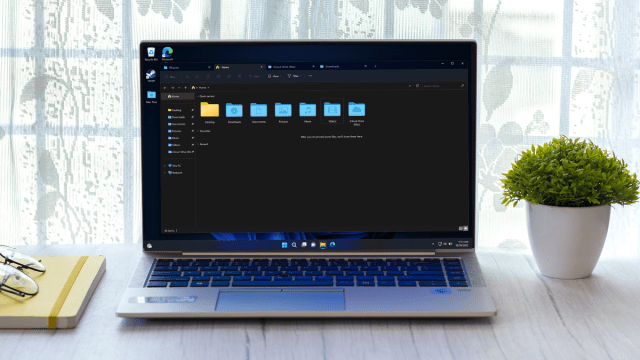
Microsoft has reversed a decision it made to change File Explorer in Windows 11 following complaints from testers.
This happened in the freshly introduced build 23486 in the Dev channel, and as Microsoft announced in the blog post to go with that preview version: “Thank you to all the Windows Insiders who gave us feedback on the Folder Options changes in File Explorer that removed a handful of old settings in Build 23481.
“We’ve rolled back this change. As is normal for the Dev Channel, we will often try things out and get feedback and adjust based on the feedback we receive.”
If you missed it, the change (brought in just over a week ago) was removing what Microsoft felt were outdated options for the folders that sit on your desktop.
That includes the setting to ‘Show drive letters’ and ‘Hide protected OS files’ among a number of other options (nine of them in total).
Build 23486 also brings in some work on the passwordless front, with Microsoft enhancing the passkey experience in Windows 11, allowing users to go to any supporting website or app and use passkeys via Windows Hello. (Speaking of the latter, you may get a head-scratching pop-up related to Windows Hello, as we reported yesterday).
Analysis: Registry workaround was not well-received
We should note that Microsoft did leave a route to still access those folder options in the build where they were dropped, namely editing the Registry. But that’s obviously a pretty clunky way of doing things, so it’s no wonder folks weren’t happy with being thrown that ‘bone’ as a consolation of sorts.
To be fair to Microsoft, as the company makes clear in its statement, this is what test builds are for. Someone has an idea – in this case, for streamlining the interface – so they try it out and see whether it works okay, and what the reaction is to the change.
In this case, there was quite a good deal of feedback from users – power users in the main – not happy about having these folder options stripped away in Windows 11, because they still find many (or at least some) of them useful. After they made their feelings known, Microsoft dropped the idea.
It’s good to see the software giant is listening and taking the feedback from testers seriously (as it should, of course: this, and finding bugs, is the entire point of the Windows Insider scheme). There are those out there, mind, who can’t understand why Microsoft would even think about ditching some of these choices.
We may find that in the future, when a broader redesign happens – and a big File Explorer revamp is indeed in the pipeline – that Microsoft might again try to shed some of these options in the name of tidying up the interface. (Hopefully, they can be left in and tucked away in an ‘Advanced’ panel somewhere, though).
Via Neowin

Microsoft has reversed a decision it made to change File Explorer in Windows 11 following complaints from testers. This happened in the freshly introduced build 23486 in the Dev channel, and as Microsoft announced in the blog post to go with that preview version: “Thank you to all the Windows…
