Windows 11 and Android users will finally get a feature iPhone users have had for ages – the easy copying of text from phone photos over to a PC

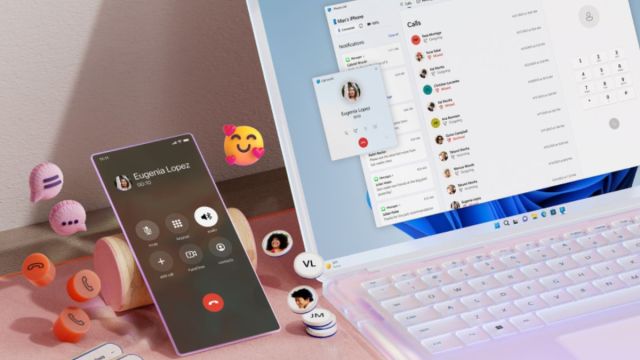
A Microsoft Phone Link update may be in the works to make exchanging text between your phone and your PC a lot easier. In short, you’ll be able to select text in photos synced from your Android phone.
Phone Link is an app on your PC (also called Link to Windows on your phone) that allows you to sync your calls, messages, notifications, and images from your Android device onto your PC. It’s similar to how you’re able to sync much of your iPhone and its apps to your MacBook, so you can respond to messages and access photos you might need without having to pick up your phone.
The feature will use optical character recognition (OCR) to spot text within images and highlight them, so you’ll be able to copy the text over to a word processor, email, or text box. This is great news for those of us who hate having to type out important details and are looking for a simpler procedure. Unfortunately, the feature is currently only available through Microsoft’s preview channel.
Windows Central gave the new feature a go and showcased a simple layout within Phone Link that highlights all the available text in the image, with the option to copy the text to your clipboard in Windows. If you feel like this all sounds familiar, you may remember Microsoft actually started testing this feature out in the Snipping Tool, where your transferred photo would open in the app rather than with Phone Link.
Welcome to the club
Apple users like myself may be tempted to turn their noses up at an update like this, but overall it’s still a beneficial change that I’m sure will benefit a lot of people. However, from what we can tell the OCR isn’t 100% accurate, so you will have to double-check the pasted text before you send it off.
If you’re just looking to paste written notes or basic information, the new feature will probably work just fine for you, however, if you want to paste over longer or more important blocks of text, using cross-device copy and paste may be better (assuming the text isn’t solely confined to an image file).
So far, the feature is still locked behind the Windows Insider Preview Build, Microsoft’s hub for testing potential new features and changes. While we normally say that we have to take the Preview Build changes with a pinch of salt (not all features make a wide release) we’re fairly confident that this Phone Link update will come to fruition.
If you want to try it out yourself, you’ll have to make sure you’re part of the Insider Preview Build channel (which is free to join), where you’ll be able to not only play around with the new Phone Link update but also see other features Microsoft has in the works.
You might also like…
A Microsoft Phone Link update may be in the works to make exchanging text between your phone and your PC a lot easier. In short, you’ll be able to select text in photos synced from your Android phone. Phone Link is an app on your PC (also called Link to…
