Wear glasses? This neat iPhone camera trick can simulate your natural vision

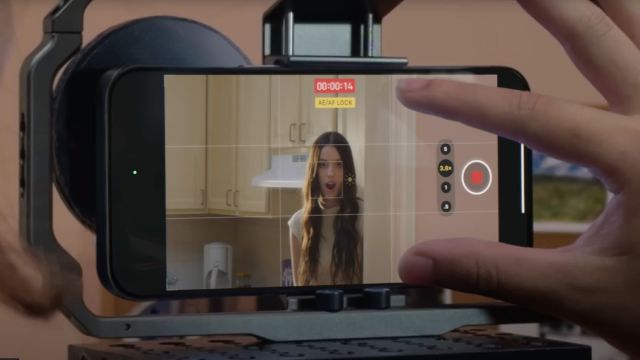
Remember the days when a phone was just a phone? No, me neither. In the last 20 years, mobile computing has progressed at a faster rate than perhaps any other industry, with smartphones now capable of much, much more than simply allowing one human being to remotely communicate with another.
The iPhone, in particular, has evolved from a keyboard-less smartphone to mobile games console to DSLR-rivaling camera, and eagle-eyed Apple fans continue to find new and novel use cases for seemingly mundane iPhone functions even in 2023.
Japanese optician Sakata Yoshi, for instance, recently used his iPhone’s camera lens to demonstrate how people with impaired vision see without the aid of glasses. Why? Well, we’re not entirely sure – but if you’re keen to understand how your glasses-wearing friends or family members see the world au naturel, Yoshi’s video is worth a watch.
As you can see via the X post below, Yoshi simulates (presumably his own) natural vision by using the iPhone’s AF/AE lock camera function. This tool allows you to lock the focus and exposure values when taking a photo, which is useful, say, when shooting scenes with movement in the background, or when trying your hand at close-up macro photography.
【メガネを外した時の見え方】カメラでメガネを通して撮影して、iPhoneなら長押しで「AE/AFロック」。そのままメガネを外せば、そのメガネをかけた人の裸眼の見え方を体験できます。 pic.twitter.com/PC0OidnPgUDecember 7, 2023
Pretty cool, right? Here’s how you can try Yoshi’s method for yourself:
First, position your iPhone’s camera lens behind a pair of prescription eyeglasses. Click and hold anywhere in the viewfinder until the AF/AE lock function appears at the top of the screen. Then, simply remove the eyeglasses from the view of the iPhone’s camera. Et voilà! That’s how you (or the person whose glasses you’ve borrowed) sees the world without glasses.
In a separate video, Yoshi also demonstrates how to simulate presbyopia – i.e. the inability to see objects up close – using the same iPhone function without a pair of eyeglasses.
【老眼の見え方】 を体験するには、メガネは不要です。少し離れたところにピントを合わせてAFロック。遠くは見えるのに近くの文字はボヤける。本を離すと多少見える。 pic.twitter.com/HBQEcynfWUDecember 7, 2023
As you can see, Yoshi focuses on a slightly distant object (the drapes) and activates AF/AE lock by repeating the steps above. Now, his iPhone camera can clearly see objects at a similar distance to the drapes, but objects positioned right in front of the iPhone camera are blurry. This is similar to how someone with presbyopia experiences the world without eyeglasses.
Incidentally, Yoshi’s original X posts on this subject were deleted for violating guidelines, but the optician has prefaced his new tweets with the following message: “This might not go viral again […] so I’m asking everyone for the first time, please spread the word! Everyone on Twitter! Please share your strength with me!”. Thanks for sharing your discovery with us, Yoshi.
For more lesser-known iPhone features, check out our roundup of the five hidden iOS tricks to help you navigate your iPhone faster.
You might also like

Remember the days when a phone was just a phone? No, me neither. In the last 20 years, mobile computing has progressed at a faster rate than perhaps any other industry, with smartphones now capable of much, much more than simply allowing one human being to remotely communicate with another. …
