Wacom’s new Intuos Pro drawing tablet reinvents the wheel
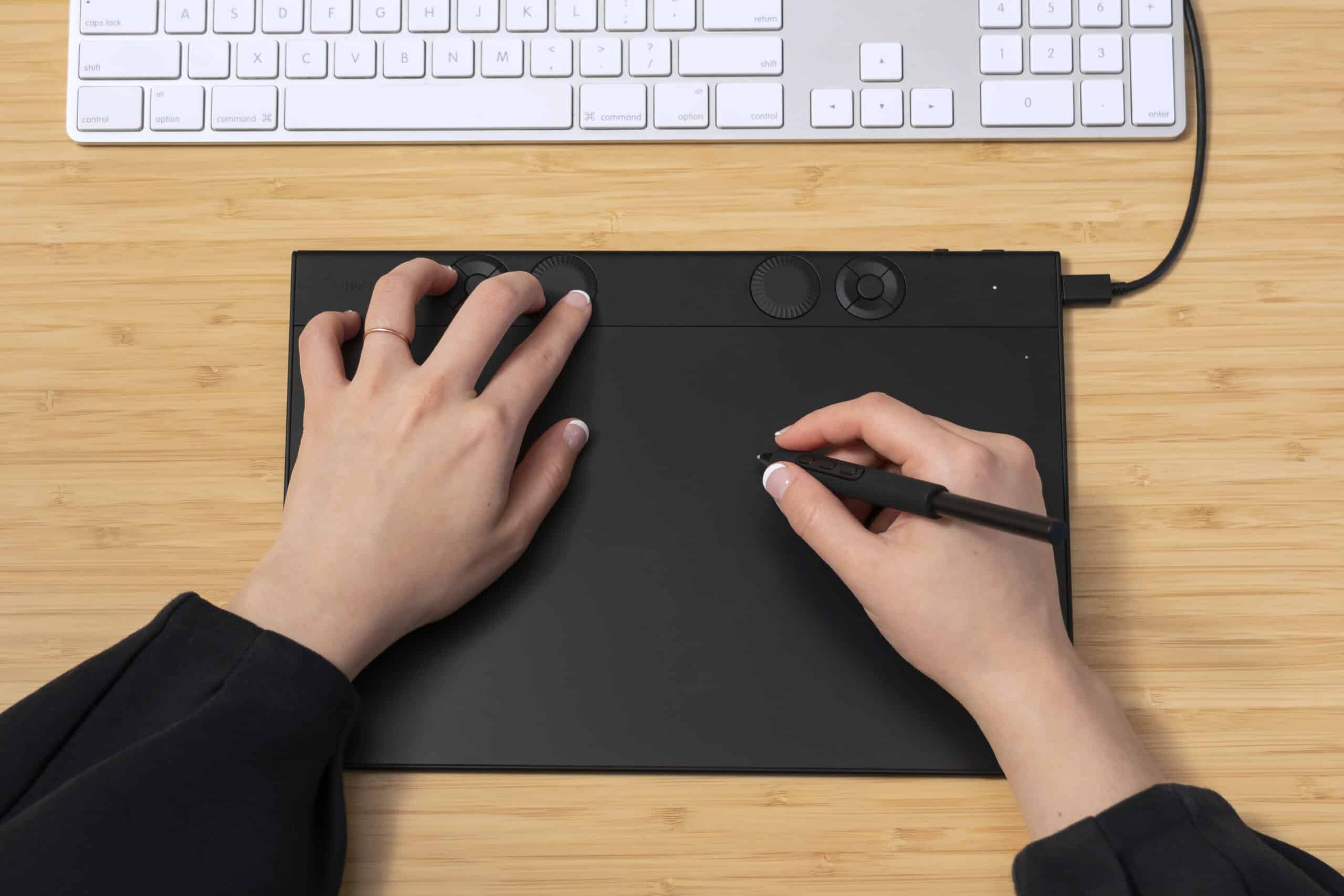
Wacom has completely overhauled its Intuos Pro drawing tablets to make them more compact, convenient, and customizable for creative professionals. This is the biggest redesign for the Intuos Pro lineup since its introduction in 2013, featuring a new layout that relocates user controls from the side to the top of the tablet and replaces the previous touch ring with mechanical dials. It’s a huge change, but one I quickly welcomed in the short time I had to test it myself.
The Intuos Pro is Wacom’s pen tablet targeting industry creatives like 3D artists, illustrators, and photo editors who prefer to work on their own (typically calibrated) displays. Unlike Wacom’s Cintiq or One range, the Intuos Pro doesn’t have a built-in screen, making it easier to throw into a bag and connect to computing devices.
There are three sizes available: Small (€269.99), Medium (€399.99), and Large (€549.99). I’ll update with US pricing when it goes live later today. Each model is actually smaller than its equivalent predecessor, yet feature larger active areas that make better use of that space. For example, the 2025 Medium measures 11.5 x 8.1 inches versus 13.2 x 8.5 inches for the 2017 version, yet features a drawing area of 10.4 x 5.8 inches compared to 8.7 x 5.8 inches for the previous model. They’re slimmer overall too, featuring a new 0.16-0.28 inch (4-7mm) sloping design instead of the previous 0.3-inch (8mm) thickness.
The most noticeable change, however, is the layout. Where all previous Intuos Pro models had user controls like customizable buttons and touch-sensitive wheels on the side, these have now been shifted to the top of the tablet. That both greatly reduces the space on either side of the active pen area and makes it easier for left-handed or ambidextrous users to configure for their workflows.
The touch wheel has also been replaced by tactile mechanical dials — one on the Small, two on the other sizes — which provide more precision when scrolling through the tools and actions users allocate to them. The customizable express keys have also been updated to a round space-saving design, with five buttons on the Small and ten on the two larger models.
The Intuos Pro lineup works with devices running Windows 10 or macOS 13 or later. It supports both a wired USB-C to USB-A connection and wireless via Bluetooth 5.3, the latter providing up to 16 hours of battery life when fully charged, according to Wacom. Users can jump between USB and Bluetooth via a switch on the side of the tablet, allowing it to pair with two devices simultaneously.
It comes with the same customizable Wacom Pro Pen 3 stylus that ships with Wacom’s Cintiq Pro and Movink display tablets, which features adjustable thickness and buttons. One perk if you already own these tablets is that the Pro Pen 3 can switch between devices, which is useful if you’re working across multiple tablets. The new Intuos Pro is also compatible with previous-gen Wacom Pro Pens and EMR styluses from Pilot, Dr Grip, LAMY, and Staedtler.
I was able to handle a pre-production sample for a short time. While a full review will come later when I can test a final version, the slimmer design felt well-constructed and wasn’t flimsy. The slope wasn’t significant enough to feel noticeably more comfortable but I wasn’t using it for lengthy durations like many creative professionals do. The new layout is a welcome improvement compared to having the buttons and wheel on the sides where my wrist may accidentally activate something, and it didn’t take long to adjust to the delightfully tactile mechanical dial.
Wacom has completely overhauled its Intuos Pro drawing tablets to make them more compact, convenient, and customizable for creative professionals. This is the biggest redesign for the Intuos Pro lineup since its introduction in 2013, featuring a new layout that relocates user controls from the side to the top of…
