Voicemeeter app sets off Blue Screen of Death woes — here’s what you need to know

Microsoft might have debuted its major Windows 11 24H2 update only recently, but it’s already becoming infamous due to its habit of appearing in headlines for causing user issues. This time, there have been reports of a bug that causes devices to crash and show the blue screen of death (BSoD). This comes after previous reports of problems that were serious enough that Microsoft ended up blocking 24H2 from being installed on affected devices.
Today, we can add another glitch to the list – a system crash that apparently occurs on PCs with the Voicemeeter app installed. Voicemeeter is a popular app that helps people manage their PC’s audio, and according to Neowin, Microsoft has published a note in Windows 11 24H2’s official documentation describing the problem. Unfortunately, it seems like the driver software (which enables the app to “talk” to your system) is incompatible with Windows 11’s memory manager.
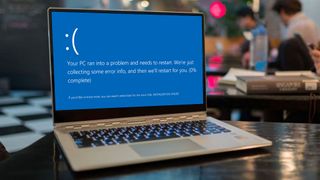
This incompatibility results in many users’ systems becoming unresponsive, leading to the dreaded blue screen with the MEMORY_MANAGEMENT error code – a rather nasty bug, as it could mean people’s unsaved work is lost if the PC suddenly reboots.
To prevent this from happening, Microsoft has put a hold on rolling out update 24H2 to PCs that are running Voicemeeter. If you want to continue using the app in Windows 11, you won’t even be able to see the option to update to 24H2 in Windows Update when you check for new updates.
What Windows 11 Voicemeeter users can expect next
It does seem like Microsoft is aware of the problem and, as reported by Neowin, it advises users not to force their devices to update to 24H2 using methods like the Installation Assistant or the Media Creation tool. I’m fairly sure this means that Microsoft is working on an update that delivers a fix that will allow users to update to 24H2 and continue using Voicemeeter trouble-free.
If you can give up Voicemeeter, then apparently you can remove the app altogether, and the 24H2 update will become available again for you to download after around 24 hours. So far, it seems like this compatibility issue only impacts PCs running 24H2, and earlier versions of Windows 10 and 11 aren’t affected.
This is yet another potential issue to consider if you’re looking to upgrade to Windows 11 24H2, and you can read some of the other problems users have been bumping into after trying to update here.
A BSoD isn’t fatal, but it can be incredibly frustrating and annoying. Along with all of the other errors and problems, 24H2 is shaping up to be pretty disruptive to some people. It also brings back bad memories of Windows 10 suffering from numerous update problems a few years ago.
This draws attention away from any actual quality and functionality improvements that Microsoft has included in 24H2. Still, it’s worth staying updated on issues that arise so you can know how to deal with them. It shows how difficult it can be when trying to roll out major updates across a wide range of software and hardware – and how Microsoft is still struggling to overcome those difficulties, even after decades of experience.
You Might Also Like…

Microsoft might have debuted its major Windows 11 24H2 update only recently, but it’s already becoming infamous due to its habit of appearing in headlines for causing user issues. This time, there have been reports of a bug that causes devices to crash and show the blue screen of death…
