Valve will finally turn off the Steam Deck’s screen while it’s downloading games

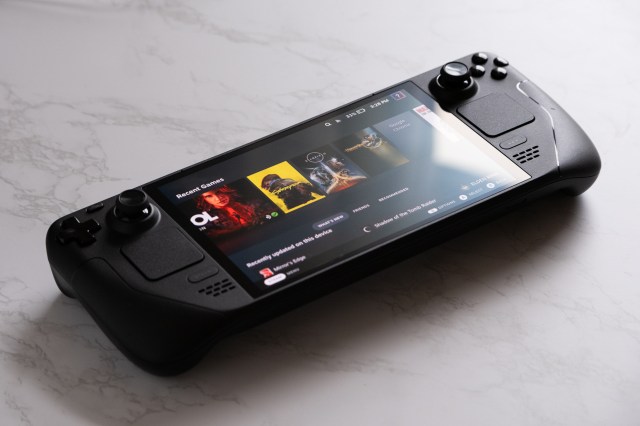
Valve is testing a low-power way to complete downloads on your Steam Deck without having to leave the handheld running with the screen on. As part of an update that’s currently on the Steam Deck’s Beta and Preview channels, the handheld can “complete all active downloads in a new display-off low-power mode before going to sleep,” Valve says.
I’m glad this change is in the works; I download a lot of games and updates on my Steam Deck and I have often wished that I didn’t have to leave the display on while doing so. The Verge asked Valve about this two years ago when the Steam Deck OLED launched, and the company seemed to think Deck was good enough without it.
“We burn a substantial amount of power when you’re downloading,” hardware engineer Yazan Aldehayyat said at the time, suggesting to us that players might not want to accidentally leave a hot Steam Deck in their bag if they mistakenly think it’s asleep. Valve’s solution announced today seems to solve some of those concerns.
With the update installed, when you press the power button while your Deck is downloading something, you’ll see a new dialog that asks if you want to keep downloading but have the screen off. If you choose Continue, your Deck will enter the low-power mode. “While in this mode, if you press a button or move Steam Deck, a new status screen will be shown with download progress,” Valve says. “From here you can fully wake Steam Deck or let it continue downloading with the screen off.”
The feature is on by default when your Steam Deck is plugged in. You can also choose to enable it while running on battery in settings, though if your Steam Deck falls below 20 percent battery, your device will go into full sleep mode.
Valve is testing a low-power way to complete downloads on your Steam Deck without having to leave the handheld running with the screen on. As part of an update that’s currently on the Steam Deck’s Beta and Preview channels, the handheld can “complete all active downloads in a new display-off…
