Top 3 things you have to try with the new ChatGPT search

ChatGPT search (the new search engine built into ChatGPT that combines conversational AI with real-time information straight from the web) has recently launched for everybody who was signed up to the waitlist, or is a ChatGPT Plus subscriber.
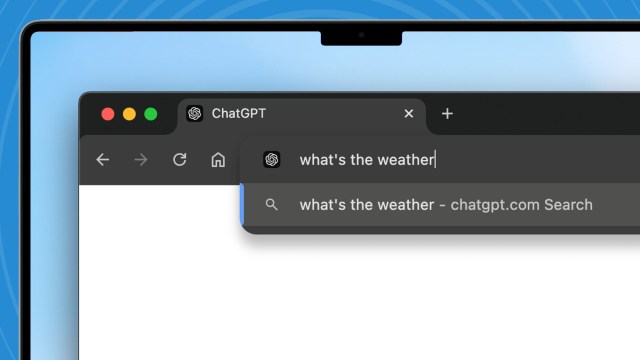
What’s more, OpenAI recently leveled up ChatGPT search with a shiny new Google Chrome extension that means you can use it from the address bar. If you’re already using Google Chrome, this makes for a much more useful way to find and gather up-to-date information while simultaneously giving you more personalized filters and a way to leverage that information for new and fun activities.
Here are three practical and creative ways to take full advantage of ChatGPT search.
1. Trend spotting
Keeping up with every new trendy hobby, TV show, book, or game that I might enjoy is impossible. Add in the things my friends and family care about that I want to be aware of for conversation (and birthday present planning), and no one who isn’t a teenager could keep up, even with hours on social media.
ChatGPT search can handle that for me now. The AI can look up all of the latest news on subjects of interest to me and explain the latest buzz about those I am just curious about. As the AI adds more about me to its memory, it’s going to be even better at curating those details. Asking “What’s trending today?” will get me the new video game buzz for games I might like as well as the conclusion of the latest episode of Survivor, which I need to know to be able to keep up when going to dinner with my in-laws.
2. Recipe roulette
I like looking up new recipes to try, especially if I don’t want to go shopping and just use ingredients I have on hand. ChatGPT has always had the ability to come up with meal ideas, but the hallucinations and offline database meant I never really trusted what the AI wrote. Now, when I ask for specific kinds of dishes using ChatGPT search, like vegetarian meat sauce for pasta or the best methods for making gravlax, ChatGPT will not only remember previous requests and either reshare them or ask if I want new ideas, but it will actually use recipe websites to find them for me.
Even if I ask for recipes based on random ingredients like sweet potatoes, quinoa, and a mixed bag of herbs, ChatGPT search will find options that fit my palette without me worrying that it will suggest rocks as an appetizer.

3. Instant trivia host
Have you ever been hanging out with friends and felt like playing a trivia game without having to go to a bar? Well, ChatGPT search can use web search to pull together facts on everything from recent Oscar or Grammy award winners to the latest TikTok dance trends and act as your host for the night. I’ve found the right prompt can even get the AI to inject some humor into the game, while the web search keeps it from making up answers.
Even if you’re not playing a game, having your own personal fact-checker is nice. Sure, there’s Google, but ChatGPT search means you don’t have to open a new tab or click through multiple websites (assuming Google AI Overview doesn’t have an answer). And, because it looks online, you don’t have to worry nearly as much about the response being a hallucination.
You might also like…
ChatGPT search (the new search engine built into ChatGPT that combines conversational AI with real-time information straight from the web) has recently launched for everybody who was signed up to the waitlist, or is a ChatGPT Plus subscriber. What’s more, OpenAI recently leveled up ChatGPT search with a shiny new…
