Spotify finally lets you create playlist art – and it’s already my favorite new feature since Daylists

Spotify continues to be one of the best music streaming services around thanks to personalized features like Daylists – and it isn’t stopping there. It’s just rolled out a new beta feature that lets you create custom playlist art to make your creations look just as good as they sound. In other words, it’s Spotify meets Canva.
The new ‘Create Cover Art’ feature, which is available in English in 65 regions, is a new in-app integration that gives you the opportunity to express your knack for graphic design as well as playlist curation.
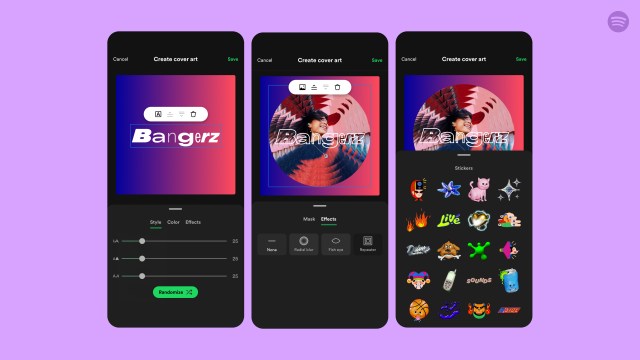
Combining the basic elements of a typical graphic design app, Create Cover Art lets you design a custom playlist cover using an array of stickers, background colors, text, and your own images to add a pop of your own personal flair. Whether you’re creating a playlist from scratch or want to spruce up an older one, Create Cover Art is available for both kinds.
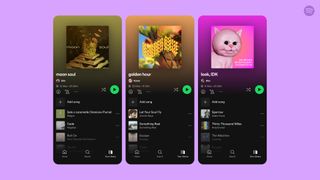
As part of Spotify’s new feature launch, the service has partnered with a variety of artists who are known for creating their own playlists on Spotify such as Arlo Parks, Jamie xx, and Clairo. Moreover, Spotify has also been working with visual creatives as well as musicians which includes Imogene, the mastermind behind the now iconic ‘brat green’ cover for Charli xcx’s latest record Brat.
Playlist-making in Spotify has become quite the phenomenon among Spotify users and music fans alike, with over 8 billion playlists curated to fit a variety of genres, milestones, and especially moods – which was one of the most fascinating aspects about Spotify’s 2023 stats.
In the past year or so, a number of music streaming services have embraced similar customization features, in particular YouTube Music which launched an AI playlist image generator last year. But this is the first playlist art feature I’ve seen that allows you to create a thumbnail from scratch, and I’m excited to see what this will add to my (naturally) already incredible playlists.
How to use Create Playlist Art
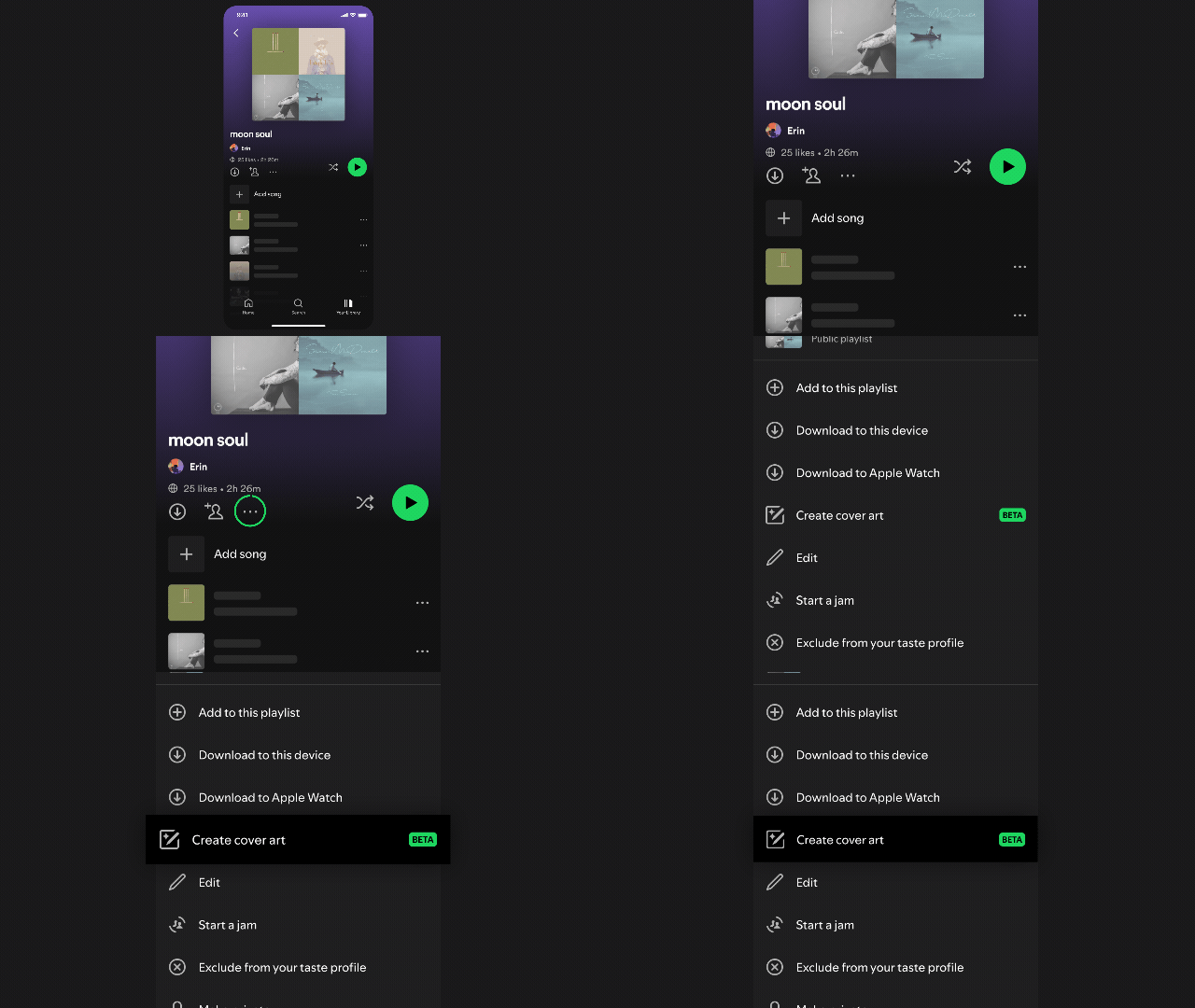
As mentioned, Spotify’s Create Cover Art feature will be available for both new and old playlists in your library. To create playlist art for an existing playlist, tap the three-dot icon and find ‘Create Cover Art’ in the menu options.
You can then add a background, text, and stickers, as well as your own images. Once you’ve finished putting together your new playlist cover, your playlist will update to display the new image which you can share to other social media platforms.
You might also like
Spotify continues to be one of the best music streaming services around thanks to personalized features like Daylists – and it isn’t stopping there. It’s just rolled out a new beta feature that lets you create custom playlist art to make your creations look just as good as they sound.…
