OpenAI is making ChatGPT’s Canvas feature smarter and sleeker

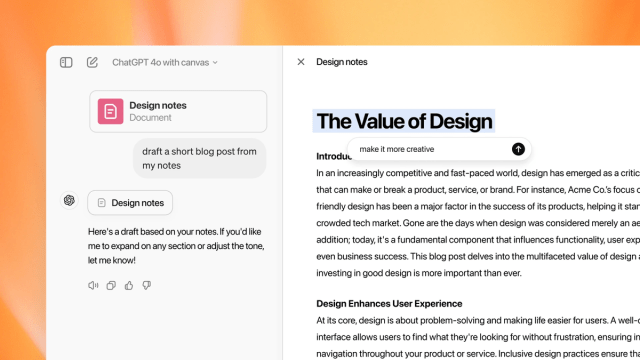
- ChatGPT has upgraded Canvas to be smarter and more accessible.
- Canvas now works with the OpenAI o1 model and can visualize code directly.
- It’s now available to macOS desktop users.
OpenAI has enhanced ChatGPT’s collaborative editing feature, Canvas, with some major upgrades. The updates make Canvas even more flexible in helping you compose and edit content and code. The brainpower boost also comes with better visuals and some love for macOS desktop users.
The most significant upgrade is that Canvas will now work with OpenAI’s new o1 model. The more deliberative o1 model is already better than previous iterations at complex reasoning and problem-solving. With o1, Canvas is better at collaborating and explaining its logic.
Imagine it more like a human partner and less like a hyper-efficient autocorrect. You can enable the o1 model in Canvas by selecting it from the model picker or typing the command “/canvas.” Free users are out of luck for now, though, as only Pro, Plus, and Team users can access the o1 model in Canvas.
But it’s not just brains; Canvas has also received a visual boost – it also now supports rendering React and HTML code. That means you can actually see your projects come to life right in the workspace. You don’t have to imagine how the code would perform in a browser or run a separate testing system. Better yet, free ChatGPT users can play with this new ability right now.
Regardless of subscription level, Mac users keen to use ChatGPT more are also getting more access to the AI chatbot feature. There’s now full Canvas support on the macOS ChatGPT desktop app, allowing you to do anything Canvas can provide without leaving it.
Canvas companion
The o1 model’s more deliberate thinking aims to address criticisms that AI often feels rushed or too eager to please. With the added ability to visualize React and HTML code, OpenAI has made it clear that it wants Canvas to be a playground for developers, not just a chatroom with a few extra bells and whistles.
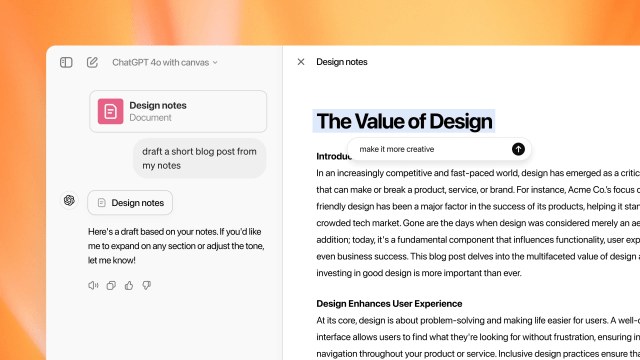
That fits with OpenAI’s and other AI developers’ keenness to make AI chatbots and tools more dynamic. Editing directly within the Canvas interface and being able to comment on and prompt changes to just part of an AI answer is a subtle but powerful improvement over the standard back-and-forth.
Just being able to drop text into Canvas and assigning the AI to advise or help edit is no small thing. Sometimes, you just want criticism without it being redone. That goes double if you share complex code or a very long text.
Ultimatley, Making ChatGPT more proactive and adaptable when it comes to carrying out very specific requests is likely to be a big part of how AI is employed in the future.
You might also like
ChatGPT has upgraded Canvas to be smarter and more accessible. Canvas now works with the OpenAI o1 model and can visualize code directly. It’s now available to macOS desktop users. OpenAI has enhanced ChatGPT’s collaborative editing feature, Canvas, with some major upgrades. The updates make Canvas even more flexible in…
