Missing Copilot on Windows 10? AI Assistant can plug that gap, but it’s not without problems
Thanks to Microsoft integrating Copilot into Windows, we’re all familiar with AI chatbots, like ChatGPT. Copilot is one of the more fully-featured chatbots out there, even if you stay on its free tier. You can use Copilot to search the web using voice, text and images, you can generate AI images using DALL-E 3, use plug-ins and even access GPT 4-Turbo at non-peak times. If you want more, including priority access to GPT-4 Turbo and integration of Copilot with the full Microsoft Office suite, then you can get it for $20 (£19, AU$33) a month.
The catch is that you only get full Copilot integration with Windows 11 and selected PCs running on Windows 10, which currently have Copilot with “limited capabilities” in a Preview mode.
You can always use Copilot in a browser of course, but it’s nowhere near as good as the fully integrated Windows experience. Well, it just so happens that there is another solution to integrated AI available to Windows users in the form of Ashampoo AI Assistant.
For $11 (£8, AU$15) a month, Ashampoo gives you access to AI in an app within Windows. It works in Windows 10 (64-bit only) and Windows 11, and has some cool features that distinguish it from Copilot (like keyboard shortcuts and macros). The app only deals with text, and does it in four main areas: translation and improving, generating, analyzing and summarizing, and interactive chat.
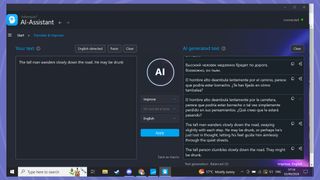
Translate and improve
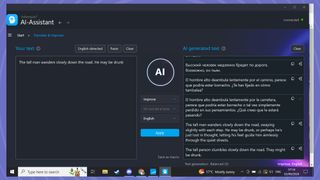
In a nutshell, AI Assistant can do all the things Copilot can with text, but it’s been set up to be more efficient at producing specific types of text (Facebook posts, text for website creation, etc.) thanks to templates and menus that guide you through the process.
It won’t hit usage limits on the GPT-4o (the large language model or LLM that many chatbots are based on), has faster response times, and keeps your data out of OpenAI’s hands for training. With ChatGPT, you need to open an OpenAI account to use its LLM, while AI Assistant doesn’t need you to do that. It also has keyboard shortcuts to help speed up operations, and you can create macros to make it even more efficient.
AI Assistant can extend, improve, shorten, proofread, paraphrase and generate text. It can translate it into most languages, using different tones, too, like funny or professional. I asked a Russian speaker to check the quality of its translations into Russian, and they seemed satisfied with the results.
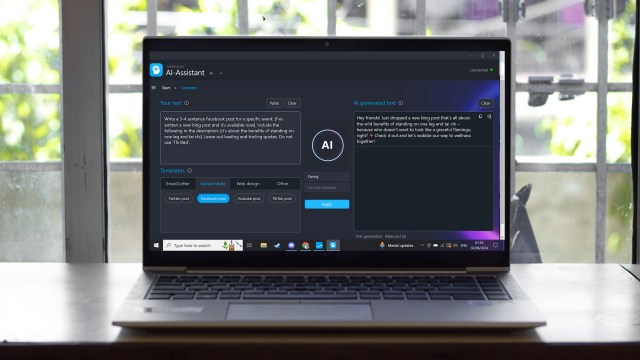
I used AI Assist to generate a Facebook and Twitter (the app doesn’t call it X) post for a blog I’d written and it did a good enough job that I could just cut and paste the text, complete with emojis, directly into my social media post.
Changing the tone of the post and regenerating it to see the differences was really handy. If you needed to generate several social media posts a day, then AI Assistant would make your life significantly easier.
Stuck in the past
The ‘Interactive’ section of the app is where you can chat to AI Assistant like it’s a chatbot. I wanted to test its knowledge on something that happened very recently, so I asked it to “tell me about the latest Apple iOS beta”. It told me that iOS 17 was the latest beta and it was packed with cool features and described a few, which is odd, since the latest iOS beta is version 18…
Confused, I asked about something a bit more general. “Who is the British Prime Minister?” It replied with Rishi Sunak. (If you’re wondering, I’m writing this 25 days after Sir Keir Starmer took over as the British Prime Minister.)
That’s when I realized that AI Assistant was living in the past. Ask Copilot or ChatGPT these things and it knows the right answers. It turned out that AI Assistant was last updated in October 2023, and it looks like it doesn’t have web search capabilities.
But what about something a little more historical? No problem. “Tell me about the Stoics”, for example, gets the kind of response you’d expect – a decent description of Stoicism, the ancient Greek philosophy. Ask it to write a program in Python that helps introduce Stoic principles into your life and it spits out the code without a problem. Ask it to write you a poem about Stoicism, and you get one.
Finally, there are the image creation aspects… or lack thereof. AI Assistant simply doesn’t have any. Copilot has DALL-E 3 integration, so it can generate a limited number of AI images a day from your prompts.
So, in short, Ashampoo AI Assistant fills a hole for somebody who needs to generate a lot of text each day. Its interface is much more tailored to producing content for you quickly than using a free chatbot, but while AI Assistant clearly is capable of doing all the major tasks that ChatGPT or Copilot can, its knowledge of current events is severely limited in comparison.
There are definite advantages to AI Assistant that justify the $11 monthly subscription, particularly for heavy users of AI who exceed their limits on free platforms, but for casual users, the free chatbots, or Copilot, will satisfy your needs.
You may also like
Thanks to Microsoft integrating Copilot into Windows, we’re all familiar with AI chatbots, like ChatGPT. Copilot is one of the more fully-featured chatbots out there, even if you stay on its free tier. You can use Copilot to search the web using voice, text and images, you can generate AI…
