Microsoft finally delivers AirDrop-style file sharing between iPhones and PCs – here’s how it works

- A new Windows feature lets you share files between iPhones and PCs
- It’s a lot like Apple’s AirDrop feature, but works across operating systems
- It’s limited to Windows Insider Program users for now
Apple’s walled garden makes it incredibly easy to share files between your Apple devices quickly and easily, but things get a little trickier when you want to link up your iPhone and a Windows PC. That could be changing, though, as Microsoft has just given you a new way to share files across devices that mirrors one of Apple’s best features.
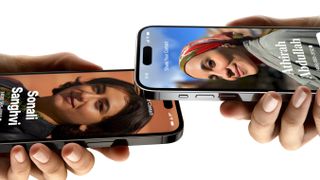
The update has come to the Phone Link app for Windows and the Link to Windows app for iPhone. In a new blog post, Microsoft revealed that when you’re running the latest version of each app, you’ll be able to share files between your devices with just a few clicks. That’s similar to Apple’s AirDrop feature, which allows you to send files back and forth between your Apple devices without having to do anything clunky like attaching them to messages or emails.
To send a file from your iPhone to your Windows PC using Microsoft’s new method, find the file in question and select the share button in iOS, then tap Link to Windows and pick the device you want to send the file to. To do the reverse (that is, send something from a Windows PC to an iPhone), right-click the file in Windows and choose Share from the context menu, then select “My Phone.”
This is a far easier way to move files between your devices, even if they’re bound to different ecosystems. Previously, it was common to use a third-party app like Dropbox or Google Drive to share items, which often required you to manually upload and download files in a much more laborious manner. That means Microsoft’s latest feature is a welcome one, especially if you use devices made by both Microsoft and Apple.
Share the wealth
We’ve seen something like this before. In August 2024, Microsoft introduced a similar feature for whisking files between Windows and Android. It seems that Microsoft has been encouraged by that feature and has now expanded it to work with Apple devices.
Microsoft has laid down a few more requirements for this new feature to work. Aside from running Phone Link (version 1.24112.89.0) and Link to Windows (version 1.24112.73 or higher), you’ll need to have installed iOS 16 or later on your iPhone, be running Windows 10 or Windows 11 on your PC, and be signed up for the Windows Insider Program.
With any luck, this feature will be rolled out to users who are not part of the Windows Insider Program over the next few weeks. Once that happens, it should make life a lot easier for anyone who uses both an iPhone and a Windows PC and wants to share files between them.
You might also like

A new Windows feature lets you share files between iPhones and PCs It’s a lot like Apple’s AirDrop feature, but works across operating systems It’s limited to Windows Insider Program users for now Apple’s walled garden makes it incredibly easy to share files between your Apple devices quickly and easily,…
