Microsoft announces Recall for Windows Insiders, other AI tools in major new Windows 11 release

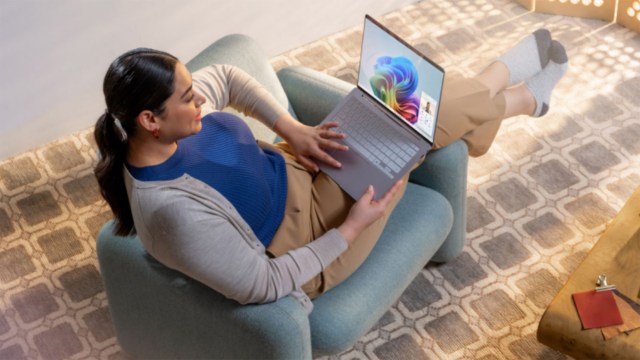
Microsoft has released a major announcement outlining all the new experiences coming to its new Copilot+ PCs and Windows 11, hoping to convince people to see the practical benefits of its AI-powered efforts. We’ll have to see how these developments play out when they’re more widespread and in the hands of everyday users, but Microsoft still seems to be going full steam ahead to make AI tools and features commonplace (and to be one of the first to do it).
Microsoft wants to use AI to assist you with everyday tasks like tracking down files and images, making them faster and easier. The idea is that you won’t even have to remember exact file and app names, but be able to describe the content in your own words and your device will be able to locate it.
Copilot+ PCs are designed to have AI integrated, and Microsoft claims that it’s seeing substantial customer demand and interest. You can get Copilot+ PCs running Windows 11 from manufacturers like Acer, Asus, Dell, HP, Lenovo, Samsung, and from Microsoft itsel;f through its Surface line, with processors from manufacturers including Qualcomm, Intel, and AMD.
Microsoft also that these new features will be made available to its Windows Insider community for user testing and feedback ahead of a general rollout in phases starting in October and November 2024.
Total Recall

The first feature Microsoft will be previewing is Recall, which has so far seen a lot of criticism, specifically with respect to its possible security ramifications, ever since it was announced. Microsoft’s vision for Recall is to help you instantly find things you’ve already seen on your PC, like a website or file, by taking screenshots of your device activity, keeping a record, and making it searchable. It will be an opt-in feature and only accessible with Windows Hello, Microsoft’s alternative login feature that allows you to use sign in with facial recognition, your fingerprint, or a PIN.
Microsoft hopes that added security measures will make people feel confident enough to trust Recall, requiring login by Windows Hello and applying filter over sensitive information like payment details.
There are other shiny new feature like ‘Click to do,’ designed to suggest ways you can finish tasks using various features and apps. This feature will appear over images or text, suggesting possible actions for you to consider like erasing the background of a photo or finding out more information on the web. Another is super resolution in the Photos app, explained as being able to enhance lower-resolution and older photos to better quality, making them clearer and sharper.
One that’s not a new feature but instead enhancing an existing one is Windows Search, which will now use AI to fetch just the file you’re looking for after putting in a description of the file in your own words. Microsoft adds that you won’t need to be connected to the internet to use this capability, and it will become available in File Explorer first, followed by Windows Search itself and the Setting apps in the months following.
Joining an improved Windows Search, Microsoft is also giving the Paint app a boost, adding generative fill and generative erase capabilities. You’ll also be able to use the Cocreator image generation tool right in the app by describing your ideas in a prompt, maybe even adding some brush swipes, and having it create an image. Additionally, you can also remove parts or add elements to your existing images, and you’ll be able to use it without a subscription.
As Microsoft puts it, the number of these kinds apps and ‘emulated experiences’ will grow as more Copilot+ PCs hit the market this year and next.
Will Windows users embrace Microsoft’s vision?
Microsoft has released the main Windows 11 feature upgrade for this year, 24H2, and it brings AI capability to Copilot+ PCs to enable the features above when they arrive, as well as features and changes for all PCs running Windows 11. These include the new Energy Saver mode, improved Hearing Aid support, Wi-Fi 7 compatibility, HDR background support, and interface-related improvements.
Microsoft finishes off its announcement with its broader vision and what it wants you to see next. It appears to acknowledge that you might have feelings about Windows 11, but we’ll have to see what it ultimately delivers in the coming year.
Microsoft says it wants you to feel the difference as a positive new direction for Windows 11, which has definitely had its ups and downs since its release. Either way, this is a big next step, so we’ll have to see how these new features are received.
Microsoft has released a major announcement outlining all the new experiences coming to its new Copilot+ PCs and Windows 11, hoping to convince people to see the practical benefits of its AI-powered efforts. We’ll have to see how these developments play out when they’re more widespread and in the hands…
