iOS 18.3: key upgrades and bug fixes for Visual Intelligence, Apple Music, and more

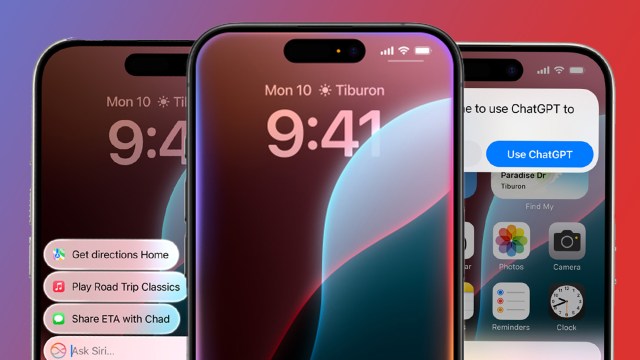
iOS 18.3 is now rolling out to iOS 18-compatible devices across the globe, and although Apple’s latest software update isn’t quite as significant as iOS 18.2 (which introduced several major Apple Intelligence upgrades), it still brings some key improvements to the table.
Chief among these upgrades is a functionality boost for Visual Intelligence, and core Apple apps like Apple Music and Siri are the subject of some major bug fixes.
Below, we’ve rounded up all the ways in which iOS 18.3 improves the iPhone experience. Still, rocking iOS 17? Here’s how to download iOS 18 – and what to do if it won’t install.
Apple Intelligence enabled by default
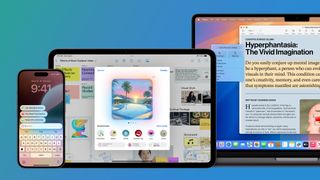
The first big news in iOS 18.3 is that Apple Intelligence is now enabled by default. You’ll still need an iPhone 16, iPhone 16 Plus, iPhone 16 Pro, iPhone 16 Pro Max, iPhone 15 Pro, or iPhone 15 Pro Max to access Apple’s suite of sometimes-good, sometimes-bad AI features, but if you hadn’t already enabled them, iOS 18.3 will do it for you.
Previously, you had to go to Settings and manually sign up for Apple Intelligence to use Genmoji, Image Playground, Writing Tools, and Siri with ChatGPT, among others.
But what if your reluctance to sign up for Apple Intelligence was deliberate? Fear not: you can still disable the AI feature set in Settings (head to Apple Intelligence & Siri) and even toggle certain Apple Intelligence features – specifically Mail summarization and Siri’s ChatGPT extension – on or off.
Visual Intelligence 2.0

Sticking with the upgrades for iPhone 16 (or iPhone 15 Pro) users, iOS 18.3 brings a major functionality upgrade to Visual Intelligence, Apple’s take on Google Lens.
In its first iteration, Visual Intelligence allowed users to identify places and objects around them using the Camera Control button (or not-button). Still, in iOS 18.3, the tool is capable of recognizing dogs, plants, and event information from flyers or posters. Neat!
We’ve taken Visual Intelligence 2.0 for a spin, and while its date, time, and location-gathering powers can be hit-and-miss, it won’t have a problem separating your Labdrador from your Poodle.
Calculator improvements
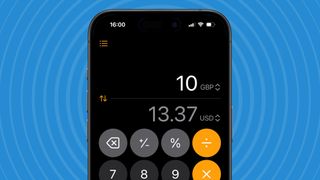
Next up is a slightly more boring update, but at least it applies to all iOS 18.3-compatible iPhones. In the Calculator app, you can now once again double-tap the equals sign to repeat the last mathematical operation. Thrilling!
In all seriousness, Apple, for some reason, removed this ability in iOS 18, and admittedly, it’s supremely useful for calculating compound interest equations.
Bug fixes and security upgrades
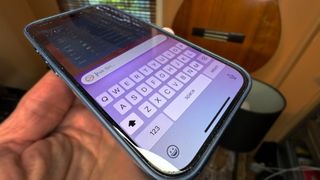
As always, Apple’s latest software update brings several key bug fixes and security patches, making iOS 18.3 a must-download for everyone.
For example, iOS 18.3 addresses an annoying bug that caused the Siri Keyboard to disappear when using the Type to Siri feature and another that caused Apple Music audio playback to continue even after the Apple Music app was closed.
The update also patches a vulnerability in the Photos app that risked allowing iPhone thieves access to your photos even when your device is locked.
You might also like
iOS 18.3 is now rolling out to iOS 18-compatible devices across the globe, and although Apple’s latest software update isn’t quite as significant as iOS 18.2 (which introduced several major Apple Intelligence upgrades), it still brings some key improvements to the table. Chief among these upgrades is a functionality boost…
