How to talk to ChatGPT on your phone
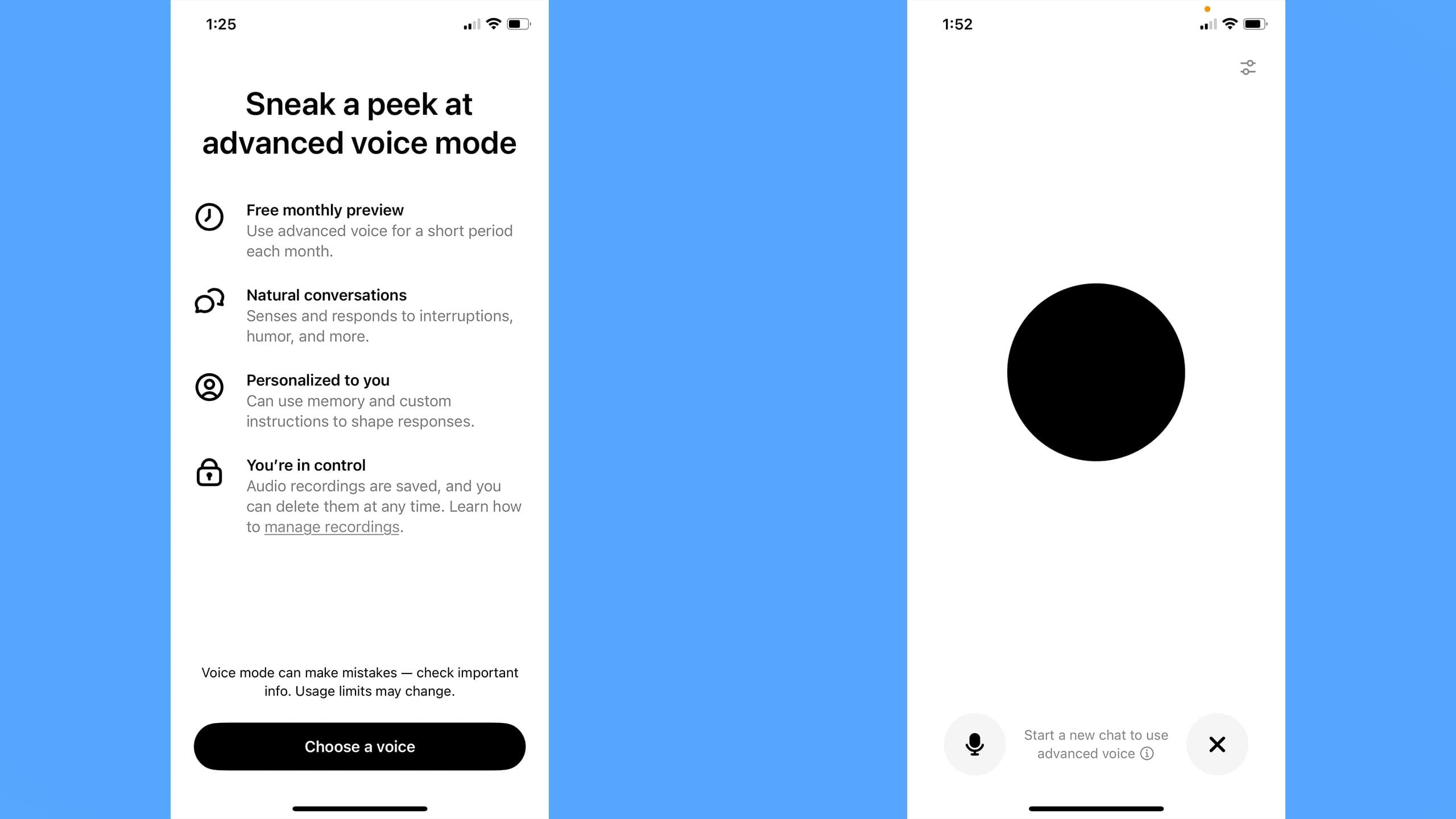
ChatGPT has had support for voice conversations since the end of 2023, but if you’re new to OpenAI’s chatbot, figuring out how to converse with it can be tricky since there are a couple of ways to go about it. In this guide, I’ll explain the main differences between ChatGPT’s two voice modes and how to use both of them.
What is ChatGPT Advanced Voice Mode?
As of the writing of this article, OpenAI offers two different ways of interacting with ChatGPT using your voice: “Standard” and “Advanced.” The former is available to all users, with usage counting against one’s message limit. “Advanced,” meanwhile, has more granular restrictions.
As a free user, OpenAI offers a monthly preview of the tool. Subscribing to the company’s $20 per month Plus plan allows you to use Advanced Voice daily. OpenAI notes daily limits may change, but either way, the company promises to notify users 15 minutes before they’re about to hit their usage cap. Pro users can use Advanced Voice as much as they want, provided they do so in a way that’s “reasonable” and complies with the company’s policies.
Outside of those limits, the primary difference between the two modes is the sophistication of the underlying models powering them. Per OpenAI, Advanced Voice is natively multi-modal, meaning it can process more than just text input. In practice, this translates to Advanced Voice offering capabilities that aren’t possible with Standard Mode, which is limited to reading a transcript of what you say to your phone. In addition to “hearing” your voice, ChatGPT in Advanced Voice can simultaneously process video and images. It’s even possible to screen share with the chatbot, making it possible for it to guide you through using an app on your phone.
Additionally, OpenAI says Advanced Voice’s multi-modality means ChatGPT can produce a more natural voice and is better able to pick up non-verbal cues.
How do you start a voice conversation with ChatGPT?
As mentioned above, OpenAI offers two different ways of interacting with ChatGPT using your voice. The steps below will show you how to access them on your iPhone or Android device.
First, you need to download the ChatGPT app (Android, iOS). The features detailed in this guide aren’t available through the ChatGPT integration offered by Apple through its AI suite.
To use Standard mode, tap the microphone icon to the right of the Message bar. If you need to grant the ChatGPT app access to your phone’s microphone, you can do so through its settings menu.
After ChatGPT begins recording your prompt, tap the checkmark icon for the chatbot to start processing your question. If you want it to discard what you said, press the x icon.
To use Advanced Mode, tap the waveform icon to the right of the Message bar. Tap the microphone icon if you want to mute your phone’s mic. You can exit Advanced Mode at any time by pressing the x icon.
How do you share a photo of your screen with ChatGPT while having a voice conversation?
If you want to screen share with ChatGPT or share a photo or video with it, tap the three-dots icon and select Share Screen, Upload Photo or Take Photo.
If you don’t see those options, update to the latest version of the ChatGPT app. You may also live in a country where OpenAI isn’t offering those features yet. See below for more information.
How many voice options are available?
The first time you use Advanced Voice Mode, you’ll be prompted to select a tone of voice for ChatGPT. Right now, OpenAI offers nine different options. I’ve listed them below, along with the company’s descriptions of each one.
Arbor — Easygoing and versatile
Breeze — Animated and earnest
Cove — Composed and direct
Ember — Confident and optimistic
Juniper — Open and upbeat
Maple — Cheerful and candid
Sol — Savvy and relaxed
Spruce — Calm and affirming
Vale — Bright and inquisitive
If you want to change ChatGPT’s voice, follow these steps:
Bring up the sidebar by tapping the two-dash.
Open the Settings menu by tapping the three-dots icon.
Scroll down and tap Voice.
Select the voice you want ChatGPT to use.
You can also change ChatGPT’s voice directly from the Advanced Voice interface by tapping the slider icon.
Are there regional restrictions on Advanced Voice Mode?
Some Advanced Voice Mode features aren’t available in every country where OpenAI offers ChatGPT. Specifically, the video, screen share and image upload capabilities OpenAI introduced in December aren’t available in the European Union, Switzerland, Iceland, Norway and Liechtenstein.
This article originally appeared on Engadget at https://www.engadget.com/ai/how-to-talk-to-chatgpt-on-your-phone-193633643.html?src=rss
ChatGPT has had support for voice conversations since the end of 2023, but if you’re new to OpenAI’s chatbot, figuring out how to converse with it can be tricky since there are a couple of ways to go about it. In this guide, I’ll explain the main differences between ChatGPT’s…
