Here’s why deleted iPhone photos returned to some iOS devices

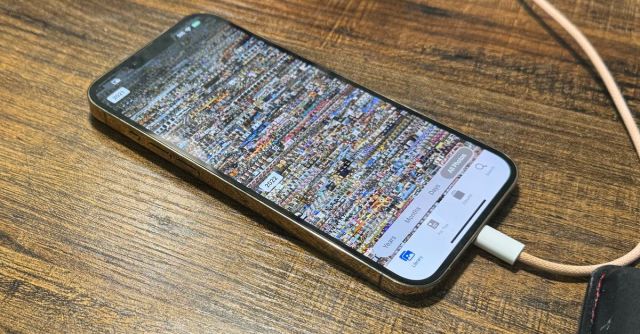
We finally have a better understanding of why devices running iOS 17.5 started resurfacing long-deleted photos, courtesy of Apple and some third-party researchers. While Apple released the iOS 17.5.1 iPhone update to fix the issue earlier this week, attributing it to a “database corruption,” the company remained tight-lipped about what was specifically causing old files — including deleted nudes, in some reports — to start appearing on devices that never hosted them.
Elaborating on the issue to 9to5Mac, Apple says it was caused by a corrupt database entry on the device’s file system, impacting files on the devices themselves and not those that had been synced to iCloud. Those files may have been carried over from older devices when restored from a backup or during device-to-device transfer.
Apple says it doesn’t have access to photo or video files on users’ phones, and that only a small number of people were impacted
One Reddit user had previously claimed in a now-deleted post that the iOS 17.5 bug had resurfaced photos on an iPad that had been wiped and sold to a friend. Apple, however, claims this isn’t possible, telling 9to5Mac that all files and content are permanently deleted once a device’s data has been completely erased. Essentially, Apple is claiming this user either didn’t follow the correct device reset procedure or is simply lying for Reddit clout. The company said that only a small number of people were impacted by the database issue, and that Apple doesn’t have access to photo or video files on users’ phones.
Security researchers at Synactiv also expanded on the issue by reverse-engineering the iOS 17.5.1 update used to fix it. You can find a detailed explanation in their full report here, but in short, iOS 17.5 added a migration routine responsible for scanning and re-importing photos from the filesystem. The routine was deleted by Apple’s recent update because it caused old files to be re-indexed on the local file system and pushed back into photo galleries.
“Based on this code, we can say that the photos that reappeared were still lying around on the filesystems and that they were just found by the migration routine added in iOS 17.5,” said Synacktiv. “Based only on this analysis, it is not possible to conclude how the photos remained on the filesystem in the first place.” The Synacktiv article then directs readers to this comment on Reddit for a plausible explanation, which includes the possibility of users saving images to both the File app and Photos app and only deleting the latter.
We finally have a better understanding of why devices running iOS 17.5 started resurfacing long-deleted photos, courtesy of Apple and some third-party researchers. While Apple released the iOS 17.5.1 iPhone update to fix the issue earlier this week, attributing it to a “database corruption,” the company remained tight-lipped about what…
