Fitbit Charge 5 users experiencing sudden battery drain after a recent update

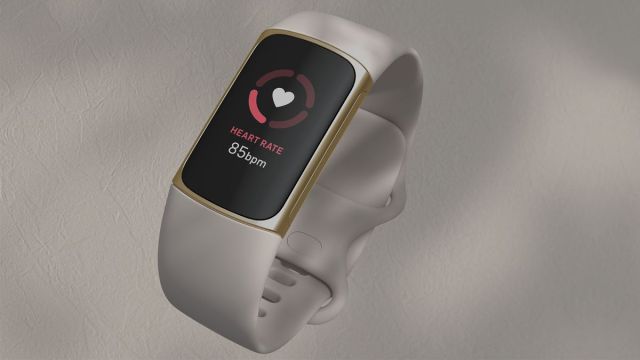
If you own a Fitbit Charge 5, you may want to hold off installing the latest patch. Numerous reports from angry Fitbit users claim their fitness tracker no longer works properly after installing firmware version v194.61.
Released in late June, the update was only supposed to introduce new features and (ironically) bug fixes. It saw the introduction of right-to-left text notifications for various Asiatic languages as well as having all exercise modes become widely available in the Exercise app.
However, after installing the patch, people began experiencing sudden battery drain. The device can no longer hold a charge properly. One user states that their tracker “charges very slowly… then upon removing [it] from the charger, it restarts then drops down to one percent.” Some even claim their Charge 5 has totally bricked – it doesn’t work anymore. All they see is a black screen and nothing restores visuals.
Potential fixes
So far, parent company Google has yet to comment on the problem. Fitbit, on the other hand, has tried to address the issue by making some suggestions. A moderator on the official forums posted a series of fixes people can try out to restore their wearable. Solutions range from simply changing the clock face on the Charge 5 to completing a “three-pulse restart procedure using the charging cable.”
However, based on recent comments in the post, none of these “fixes” seem to be work. People still have a bricked gadget.
Aside from recommending such fixes, Fitbit isn’t doing much else other than frustrating their customers even more. So far, the company has yet to offer a full refund or a replacement to affected customers. Some publications state that the company is giving people a 35 percent discount on a new Charge 5; assuming the faulty device was still under warranty when it stopped working. As it turns out, the warranty only lasts a year. If you got yours earlier than that and the warranty has run out, you’re out of luck. You can’t get the discount.
Because of this situation, we strongly recommend disabling automatic updates on your smartphone to prevent the patch from reaching your Charge 5 until something more concrete is done.
Worst case scenario
It’s unknown if either Google or Fitbit is working on a fix; although we think they might be. A few users on the initial forum post say their device is still running on the old firmware meaning there’s a chance the software roll out has been temporarily stopped. We asked Google if it would like to make a statement about the bricking problem and if it has plans on releasing a fix. This story will be updated if we hear back. Hopefully, the bug is quickly addressed.
This situation could not have come at a worst time. Amazon Prime Day 2023 kicks off on July 11, an event where a ton of gadgets on the platform see huge price cuts. Other companies like Walmart and Best Buy even hold their own events. If you were thinking of picking up a Charge 5 during Prime Day, however, you should probably reconsider; at least for now.
In the meantime, check out TechRadar’s list of the best fitness trackers for 2023 if you really want one. Consider something like the third generation Oura ring or Amazfit Blip.
If you own a Fitbit Charge 5, you may want to hold off installing the latest patch. Numerous reports from angry Fitbit users claim their fitness tracker no longer works properly after installing firmware version v194.61. Released in late June, the update was only supposed to introduce new features and…
