Canva starts previewing a more powerful version of its AI assistant

Adobe isn’t the only company releasing a new AI assistant this week. Ahead of its Create event in Los Angeles today, Canva announced Canva AI 2.0. Building on its existing AI assistant, the company is billing the release as its most significant update since the platform first launched in 2013, and the culmination of years of investment to build its own foundational design models.
As you might imagine, it all starts with a conversational interface that allows you to describe an idea or goal and the system will start generating a design to match. Under the hood, there’s a new orchestration layer that allows the model to use all of Canva’s disparate tools to accomplish complex, multi-step tasks. For instance, the company suggests you could use Canva AI to create a multi-channel advertising campaign, and the software will generate everything you need to get that off the ground.
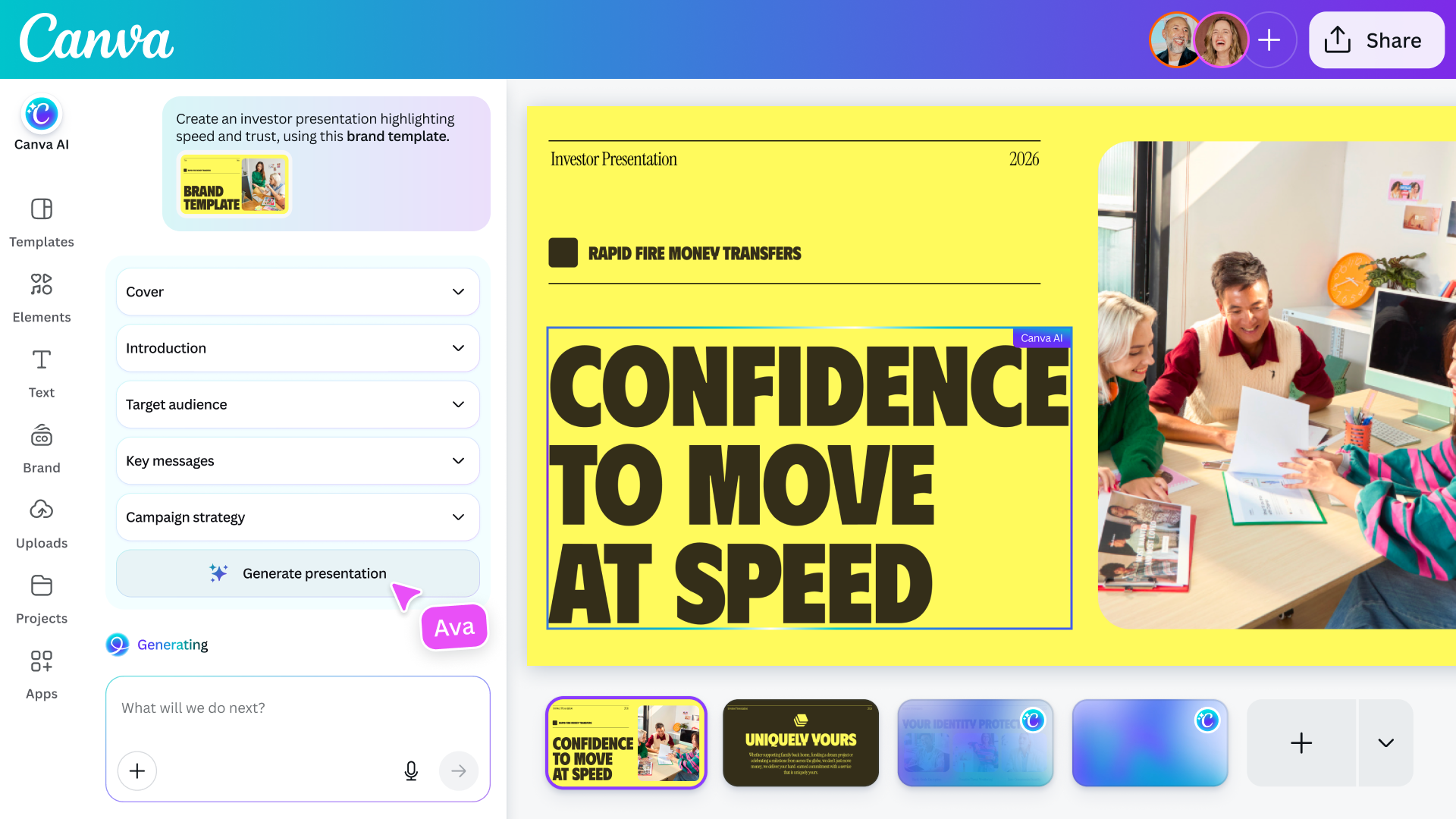
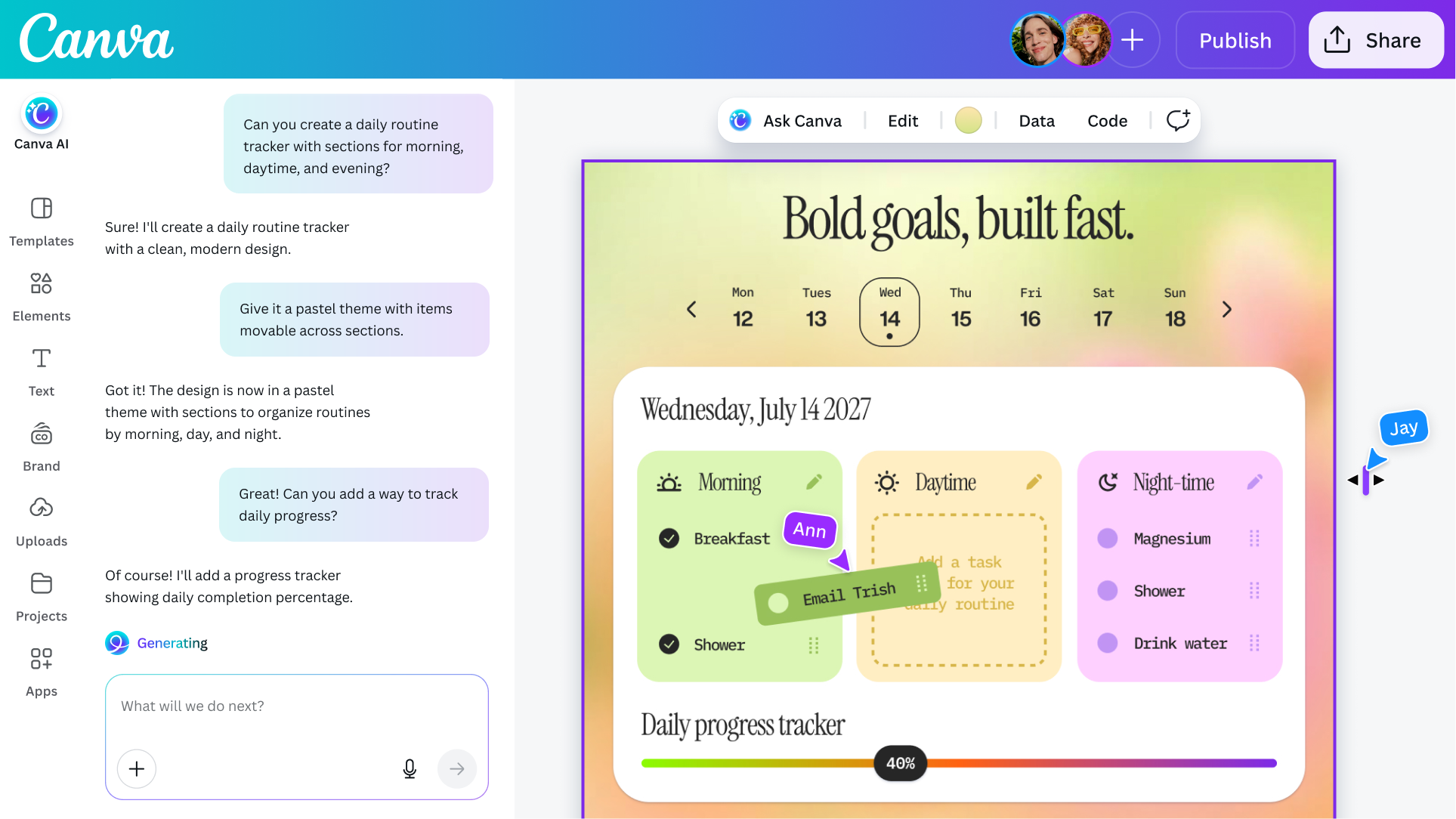
If edits are required, the company says Canva AI avoids one of the pitfalls of many other image generation models. It’s possible to edit every visual element the system generates, just like if they were created with a traditional image editor. As a result, you can do things like swap out images and tweak fonts without affecting any other part of a design. To bring everything together, Canva has built persistent memory into the tool. The more you use Canva AI, the better the system will get at applying your personal taste and style to future generations. According to the company, it also has a context window that is long enough to maintain coherence until you arrive at a final design.
Alongside those enhancements, Canva is adding support for new workflows that expand what you can do with its software, starting with connections that allow its models to pull data from other apps, including Notion, Slack, Zoom, Gmail, Google Calendar and more. Users can also schedule tasks for Canva AI to complete in the background, and the company has even baked in deep research capabilities into the tool.
The coding function Canva previously offered has been upgraded to include support for HTML imports, allowing users to bring any HTML file or AI-generated experience into Canva’s visual editor to tweak the design of it without breaking things. For brands, the company is also offering a tool that can process their visual identity and apply it to new and existing designs.
As a casual observer, it might seem like Canva is trend chasing, but Danny Wu, the company’s head of AI, argues the new AI tools represent a natural evolution for Canva. “This is something we’ve been dreaming of and working towards for quite a while,” he tells Engadget. “Even before ChatGPT was a thing, we were thinking, ‘what if we don’t have a template that matches your needs?’ … So I wouldn’t describe this as a pivot or shift, we’ve been wanting to offer these kinds of capabilities all along as part of our mission to make design simple.”
If you want to give Canva’s new tools a try for yourself, Canva AI 2.0 is available as a research preview starting today. The first 1 million people who visit the Canva website will get first access, with availability gradually expanding to more users over the coming weeks. As before, access to Canva’s AI features remains included in the company’s free offering, though it’s also introducing a new AI Pass add-on that significantly increases rate limits for users.
This article originally appeared on Engadget at https://www.engadget.com/ai/canva-starts-previewing-a-more-powerful-version-of-its-ai-assistant-130000966.html?src=rss
Adobe isn’t the only company releasing a new AI assistant this week. Ahead of its Create event in Los Angeles today, Canva announced Canva AI 2.0. Building on its existing AI assistant, the company is billing the release as its most significant update since the platform first launched in 2013,…
