Can’t find your pics amongst a sea of GIFs and memes? A Google Photos update could fix that

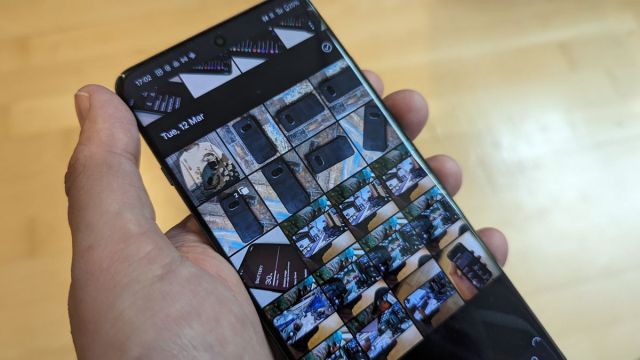
An update to Google Photos could help you better organize pictures and make it easier to find your photos among all those saved memes, WhatsApp pics, and GIFs.
Reliable Tipster AssembleDebug spotted details of the update in the code for Google Photos version 6.79.0.624777117, which seemingly lets you view and organize all the pictures on your phone. However, the main ‘Photos tab’ currently displays not only photos you’ve taken with your phone, but also any downloaded image.
Even with careful folder use, the main Photos tab can easily become a mess of screenshots, album covers and silly GIFs. Add to this images downloaded from social media apps like X, Facebook, and WhatsApp, and it can be difficult to find specific pictures.
Currently, there are some limited filtering options in the In the Library tab, including shortcuts like Favorites, Utilities, Archive, and Bin. However, the update could allow you to filter the photos section with a toggle called ‘Hide clutter,’ which would filter results by hiding unwanted files and making your phone’s storage appear less messy.
According to AssembleDebug, the feature would be located in the photos tab under the ‘Personalize your grid’ section, which is accessed via the three-dot settings menu. However, pictures will still be available in their associated album in the Library tab once filtered and hidden.
New memories
The Memories feature may also be in line for an overhaul. Memories generates auto-playing collections of related pictures set to music, such as those from a day out, and you can edit and customize these selections before easily sharing them.
AssembleDebug claims that an upcoming UI update may change how memories are displayed from the current collection of grouped thumbnails, to a rounded rectangular single image taken from the album, providing a cleaner layout.
Another change AssembleDebug found was a new setting allowing you to disable the AI memory title suggestions, which can sometimes be inaccurate or wrong, for example labeling a friend or sibling in a romantic context.
You should be able to access the new option in Google Photos settings under Preferences > AI features by Labs. Look for ‘Help me title,’ which you will be able to toggle on or off. Google has also updated its Support Page with this information on how to enable and disable this feature.
While the Google Photos app is a convenient tool for managing your phone’s image library, the current cluttered view could significantly benefit from options like the addition of a ‘Hide clutter’ option and disabling the AI memory title suggestions, and updated UI changes could further streamline and improve the user experience.
However, according to AssembleDebug these features are apparently in the early stages of development, so it may be some time before we see some or all of them on our phones.
You might also like

An update to Google Photos could help you better organize pictures and make it easier to find your photos among all those saved memes, WhatsApp pics, and GIFs. Reliable Tipster AssembleDebug spotted details of the update in the code for Google Photos version 6.79.0.624777117, which seemingly lets you view and…
