At 21 years old, the iMac G4 is still down to party
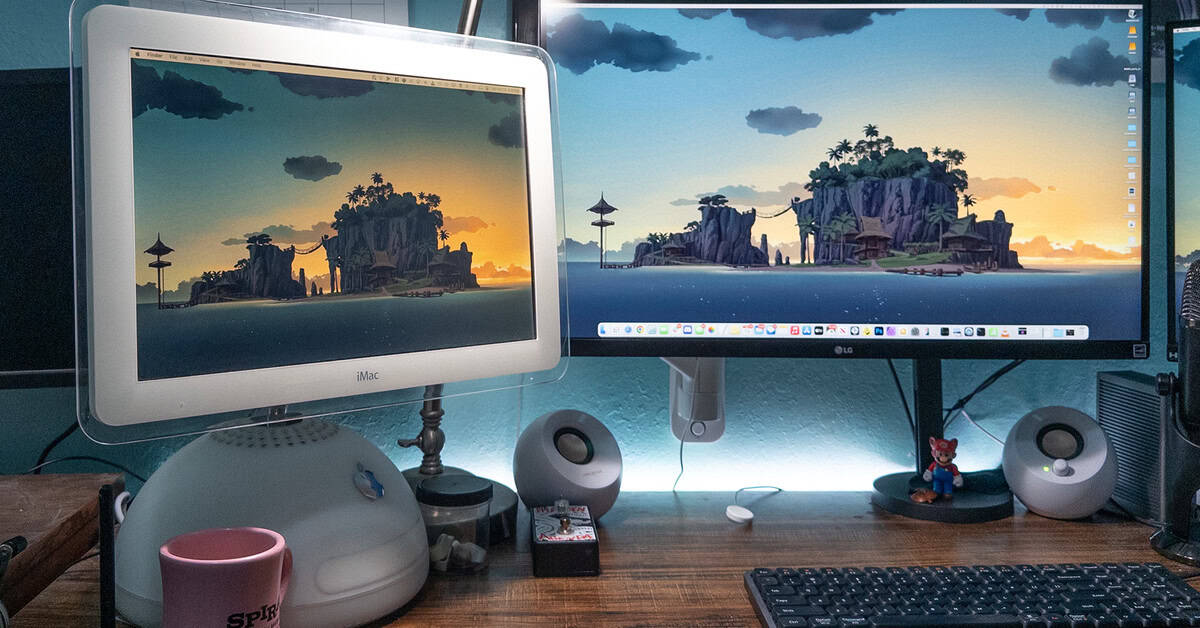
It’s been 20 years since Apple discontinued the iMac G4, a unique computer with a funky half-globe base and a flatscreen LCD on a fancy hinge and adjustable arm. In its unaltered state, it’s a nice-to-look-at, nostalgic relic that’s unusable in modern contexts. I coveted it and never got to own one at the time, but thanks to Juicy Crumb’s DockLite G4, I’m using this classic iMac every day as an external monitor.
The DockLite G4 is a drop-in replacement motherboard for the iMac G4’s board that features an HDMI port, along with three USB-A and a single USB-C port, and 3.5mm ports for audio. Most importantly, it uses the iMac’s existing mounting holes and internal connectors for power and video, so all you need is a couple of screwdrivers and a prying tool — no soldering required.
It took about 30 minutes for me to open my eBay-acquired 17-inch 1.25GHz iMac G4, remove the motherboard, put in the DockLite, and close it back up, and suddenly, I could plug in whatever I wanted, from a MacBook Air to my Anbernic GBA SP knockoff. (Juicy Crumb even has a helpful video guide.) It was much easier than some alternative DIY methods.
Here are a few pictures I took of the installation process:
With the DockLite installed, my iMac now works exactly like an external display. It sleeps when my computer does (although you have to tap the iMac’s power button to turn off the backlight) and I can control the brightness in software or using hardware buttons in the back.
I did it because this computer looks great on my desk.
There are things you lose in the process, like access to the iMac’s optical drive. And you can’t run it as a standalone computer unless you go the extra mile and replace more of its internals with something like a Mac Mini. On the plus side, the installation is reversible — you can always put the original motherboard back in.
The DockLite G4 doesn’t come cheap, at $260. The price owes to the “time, effort, and money to get even a relatively simple product such as the DockLite out to market,” Juicy Crumb CEO and co-founder Timothy de Denaro told me in an email. The DockLite G4 “is a relatively low volume product,” he added, and “every unit is manually tested by myself before being shipped” to customers.
That seems fair, and it also doesn’t change the fact that I spent a lot of money and effort just to use a low-res display with bad viewing angles. Then again, I didn’t buy the DockLite G4 because I admire the quality of my iMac G4’s 21-year-old LCD. I did it because this computer looks sick on my desk, and I wanted to be able to use it every day.
It’s been 20 years since Apple discontinued the iMac G4, a unique computer with a funky half-globe base and a flatscreen LCD on a fancy hinge and adjustable arm. In its unaltered state, it’s a nice-to-look-at, nostalgic relic that’s unusable in modern contexts. I coveted it and never got to…
