Apple secretly gave the iPhone’s flashlight a major upgrade with iOS 18 – and it’s super helpful

While Apple did unveil a redesigned, customizable Control Center as part of iOS 18, the technology giant didn’t formally announce a significant upgrade for the iPhone’s flashlight. Well, the latter has now landed in the iOS 18 Public Beta that’s available to try now.
For some time, we’ve been able to adjust the brightness of the iPhone’s flashlight from zero to four, but with iOS 18, Apple’s giving us a bit more control within a fun user interface. Essentially, you can now more minutely control the brightness of the flash and the focus (aka the angle).
I’ve been using it since the first developer beta of iOS 18 shipped shortly after Apple’s WWDC 2024 keynote. Folks willing to give the Public Beta of iOS 18 a go can do so now, as that’s also shipping as of July 14, 2024.
Apple clearly had some fun making this feature
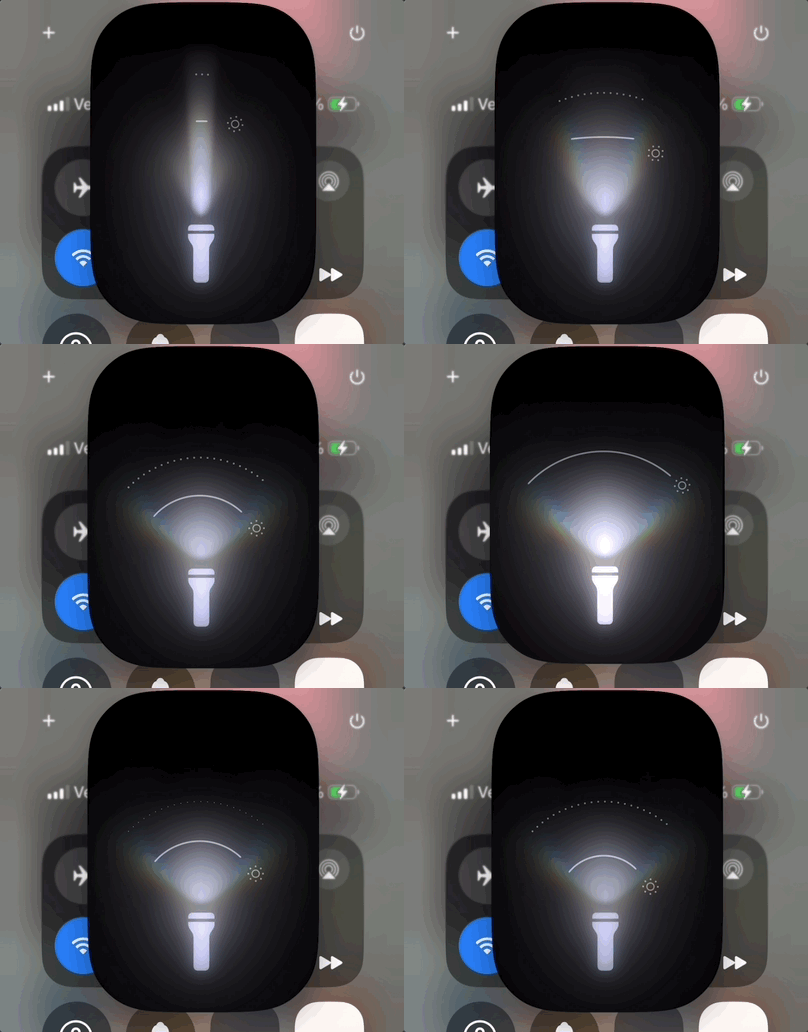
Now, when you turn on the flashlight on any modern iPhone – say an iPhone 15 Pro Max, like I’ve been using – you’ll see a window overlayed on top. Within that window, you’ll find an illuminated flashlight, and its glow is shown above.
The magic happens when you drag your finger to the left or right. You can control the focus or angle, and top to bottom lets you adjust the brightness. So, whether you’re trying to illuminate a darker space or maybe provide light for a photoshoot, you have greater control over the luminance.
If you’re keen to make further adjustments, you can long-press on that smaller flashlight icon on an iPhone with a Dynamic Island to bring up full control. It’s been quite responsive in my testing, and this functionality is also made possible by the True Tone Flash on the back of the iPhone.
In terms of control, you can adjust both the focus and the brightness at once by sliding your finger from top to bottom and left to right – or vice versa, in any direction – to see it both render with the on-screen animation and the actual glow emitting from your iPhone.
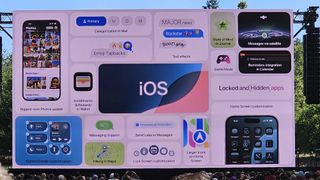
One could argue that Apple gamified the flashlight experience, as it is fun to use, actually helpful, and an excellent party trick. I’ve demoed it to a few of my friends, and they’ve been impressed. It’s also neat to see that Apple is delivering further control and enhancing the experience of a relatively mundane iPhone feature.
Apple’s iOS 18 will officially drop for all eligible devices this fall, but if you want to try out the new flashlight or more headlining features, you can opt-in and install the iOS 18 Public Beta now. Of course, as it’s a beta, it is a preview of the final release, and you can expect some bugs along the way and potentially a reduction in battery life.
Furthermore, if you’re looking to try out Apple Intelligence features, those are not yet included in the iOS 18 Public Beta or even the Developer Beta. Still, you get other anticipated features like the redesigned Photos app, a new reader in Safari, and text effects in iMessage, among others.
You Might Also Like
While Apple did unveil a redesigned, customizable Control Center as part of iOS 18, the technology giant didn’t formally announce a significant upgrade for the iPhone’s flashlight. Well, the latter has now landed in the iOS 18 Public Beta that’s available to try now. For some time, we’ve been able…
