Apple releases macOS Sonoma, with iOS-like widgets and Game Mode

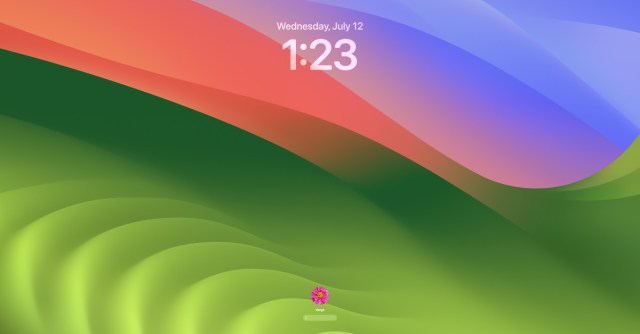
Apple injects a little more iOS into the Mac today as it releases macOS Sonoma, aka macOS 14.0. Sonoma brings with it features like persistent desktop widgets, a new iOS-style lock screen, and a game mode that promises better gaming on your Mac. The file clocks in at 7.7GB for us, so you’ll want to make sure you have a little space to get it in.
In a refreshing change, the Sonoma update is out just over a week after Apple dropped iOS 17. The new version of the iPhone operating system hit, as always, very soon after its iPhone 15 event earlier this month, but the company usually takes about a month longer to get its next macOS version out the door. That can make for a sometimes frustrating dissonance given Apple’s ecosystem interplay, for those of us who tend to update our devices as soon as we can. (I need the ability to send The Verge’s Alex Cranz annoying custom stickers in iMessage from my Mac, y’all.)
Sonoma lets you place iPhone widgets on your Mac without installing their corresponding apps and features updated videoconferencing that lets you float yourself — or just your head in a bubble — over a presentation, which is as goofy and charming as it sounds. The macOS lock screen now looks just like your iPad or iPhone’s screen, just with a password field instead of a number pad. Sure would be neat to have Face ID on the Mac right about now!
There’s also the new Game Mode. Macs have rarely had their moment in the sun as gaming machines, but there’s good news for the dedicated few who game on their Macs, as Apple says Game Mode prioritizes game performance with more CPU and GPU and makes wireless gaming accessories more responsive. Other updates include search filters for iMessage, profiles in Safari, support for web apps you can throw in the dock, and more.
To download, just smash that Apple logo (I’m sorry, I’m sorry) in the top right of your screen, then follow this path: System Settings > General > Software Update. That’ll take you where you need to be to grab the update. It’s possible you’ll have a little message in the System Settings sidebar like the one in the screenshot above, taking out a couple of steps. And, uh, you probably know this already, but it’s best to do this outside of working hours in case anything goes wrong.
Update September 26th, 2023 1:12PM ET: Added the file size and a link to Apple’s announcement.
Apple injects a little more iOS into the Mac today as it releases macOS Sonoma, aka macOS 14.0. Sonoma brings with it features like persistent desktop widgets, a new iOS-style lock screen, and a game mode that promises better gaming on your Mac. The file clocks in at 7.7GB for…
