ChatGPT steps up its plan to become your default voice assistant on Android

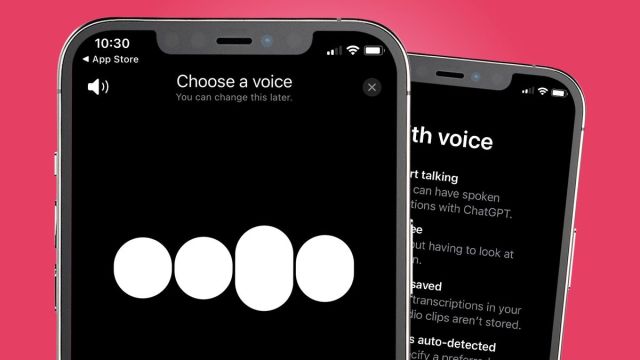
A recent ChatGPT beta is giving a select group of users the ability to turn the AI into their device’s new default voice assistant on Android.
This information comes from industry insider Mishaal Rahman on X (the platform formerly known as Twitter) who posted a video of himself trying out the feature live. According to the post, users can add a shortcut to ChatGPT Assistant, as it’s referred to, directly into an Android’s Quick Settings panel. Tapping the ChatGPT entry on there causes a new UI overlay to appear on-screen, consisting of a plain white circle near the bottom of the display. From there, you verbally give it a prompt, and after several seconds, the assistant responds with an answer.
You can now talk to ChatGPT from any screen on your Android device!With the latest ChatGPT beta update, you can now add a shortcut in your Quick Settings panel that opens ChatGPT’s Assistant overlay. This overlay can appear over any screen, letting you talk to ChatGPT no matter… pic.twitter.com/hHvHGXPYWcJanuary 22, 2024
The clip shows it does take the AI some time to come up with a response – about 15 seconds. Throughout this time, the white circle will display a bubbling animation to indicate it’s generating a reply. When talking back, the animation turns more cloud-like. You can also interrupt ChatGPT at any time just by tapping the screen. Doing so causes the circle to turn black.
Setting up
The full onboarding process of the feature is unknown although 9To5Google claims in their report you will need to pick a voice when you launch it for the first time. If they like what they hear, they can stick with a particular voice or go back a step to exchange it with another. Previews of each voice can be found on OpenAI’s website too. They consist of three male and two female voices. Once all that is settled, the assistant will subsequently launch as normal with the white circle near the bottom.
To try out this update, you will need a subscription to ChatGPT Plus which costs $20 a month. Next, you install either ChatGPT for Android version 1.2024.017 or .018, whatever is available to you. Go to the Beta Features section in ChatGPT’s Settings menu and it should be there ready to be activated. As stated earlier, only a select group of people will gain access. It’s not a guarantee.
Future default
Apparently, the assistant is present on earlier builds. 9ToGoogle states the patch is available on ChatGPT beta version 1.2024.010 with limited functionality. They claim the patch introduces the Quick Setting tile, but not the revamped UI.
Rahman in his post says no one can set ChatGPT as their default assistant at the moment. However, lines of code found in a ChatGPT patch from early January suggest this will be possible in the future. We reached out to OpenAI asking if there are plans to expand the beta’s availability. This story will be updated at a later time.
Be sure to check out TechRadar’s list of the best ChatGPT extensions for Chrome that everyone should use. There are four in total.
You might also like

A recent ChatGPT beta is giving a select group of users the ability to turn the AI into their device’s new default voice assistant on Android. This information comes from industry insider Mishaal Rahman on X (the platform formerly known as Twitter) who posted a video of himself trying out…
