Garmin’s Forerunner watches will tell you the best time to take a nap

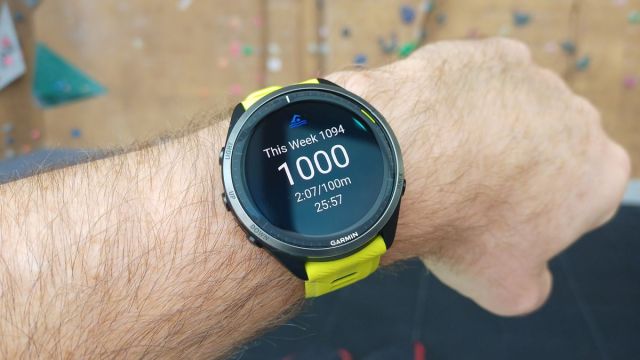
Garmin is rolling out Public Beta Version 17.18 for several Forerunner smartwatches that introduce a variety of new features and tweaks.
The patch will be available on the Forerunner 255 and 955 from 2022 as well as the Forerunner 265 and 965 from this year. The main update, as pointed out by Gadgets & Wearables, is the addition of nap tracking. As the name suggests, this function allows smartwatches to make note of your daytime sleeping habits. It’ll even recommend the best time for a quick snooze and for how long you should sleep.
Naps, according to the company, can be actually beneficial to your health plus they can lift your overall mood. This feature first appeared on the Venu 3. Since then, it’s made its way to other lines like the Fenix 7 series. Unlike the Venu 3, the Forerunners didn’t receive Sleep Coach which would’ve given “personalized sleep advice” to you.
For your eyes only
Next, people who own either a Forerunner 265 or 965 will be able to activate Red Shift mode to fill a watch face with more reddish hues. Blue light from devices can mess with your vision at night as well as disrupt your sleep. Red light, on the other hand, is gentler on the eyes. This feature will not be made available to either the Forerunner 255 or 955 because they lack the AMOLED displays necessary to support it.
The last major update revolves around Body Battery. As Gadgets & Wearables explains, the tool will show how “individual daily events” like stressful situations or moments of rest affect your body’s energy levels. Everything will be color coded for easier reading.
Minor inclusions
The rest of the beta consists of mainly a few tweaks across certain functions for better usability. Smart notifications will now display embedded images, inline skating has been added as a mode of exercise, and users can elect to have larger font sizes on-screen. Android Central states the Up Ahead tool will verbally alert people whenever they’re “approaching a turn, hill, or water station” on their route.
For those interested in trying out the beta yourself, you will have to join the Garmin Beta Software program first. We have a guide explaining the process in detail. Basically, you’ll have to log into your Garmin Connect account, and then choose the device you want to enter into the program. Once you’re in, go to the System section in your Forerunner’s Settings menu. Tap Software Update, then go to Check for Updates. The beta should be there waiting for you.
If you’re in the market for other options, check out TechRadar’s list of the best Garmin watches for 2023.
You might also like

Garmin is rolling out Public Beta Version 17.18 for several Forerunner smartwatches that introduce a variety of new features and tweaks. The patch will be available on the Forerunner 255 and 955 from 2022 as well as the Forerunner 265 and 965 from this year. The main update, as pointed…
