Want to turn your MacBook into a weighing scale? Me neither, but an app that gives the trackpad this ability looks impressively accurate

- A new app turns Apple’s trackpad into a weighing scale
- The results with the TrackWeight app are surprisingly accurate
- There are certainly limitations here, though, including the need to keep a fingertip on the trackpad while weighing an object
If you ever need a set of weighing scales in a pinch, it’s possible to use your MacBook, believe it or not.
Tom’s Hardware noticed a new app for macOS that turns the humble MacBook trackpad into a compact weighing scale, one that is surprisingly accurate, as illustrated in a demo video clip posted on X (see below).
You can turn your Mac trackpad into a weighing scale pic.twitter.com/KxbHrVfag3July 21, 2025
Krish Shah developed the app called TrackWeight, which uses Apple’s Force Touch sensors to give you an approximate weight for any object placed on the trackpad.
Now, there’s a caveat in that as you can see in the video, it’s necessary to rest your finger on the trackpad while weighing – because as Shah explains, trackpad pressure recordings are only generated when capacitance is detected by the MacBook (meaning your finger, or any other conductive object).
The obvious drawback here is that the weight of your fingertip is going to register in the reading provided, too – so rest it on the trackpad as lightly as possible. By all accounts, the weight given is still pretty accurate – though I wouldn’t recommend taking it as an exact reading, given the above catch.
The app uses the Open Multi-Touch Support library to tap into trackpad events in macOS, which includes the crucial pressure readings from the pad. Interestingly, Shah explains (on GitHub) that “the data we get from Multi-Touch Support is already in grams” which is handy.
Analysis: other caveats and compatibility
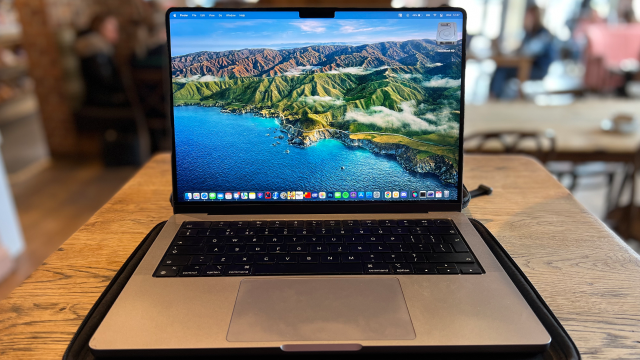
This is a neat little trick for MacBooks, but there are some limitations, including, as observed, the accuracy, which is not going to be spot-on, but looks close enough to be a good estimation.
Also, weighing metal objects is problematic (due to their conductivity, they’ll likely be detected as a finger press), so they will require a small piece of cloth (or paper) to break contact with the trackpad (again, potentially interfering with the reading slightly).
Clearly, you can’t weigh large items on a trackpad, either, though the developer of the app claims to have successfully weighed a 3.5kg object without damaging the MacBook. Which is good going – I wouldn’t try that myself, mind, or indeed weighing luggage as the dev warns us against in tongue-and-cheek fashion.
If you’re wondering about compatibility, you’ll need a Force Touch trackpad on your Apple laptop, which means a MacBook from 2016 or newer (or a MacBook Pro from 2015). You’ll also need to be running at least macOS 13 (to have the necessary Multi-Touch Support library) and have App Sandbox disabled (to grant low-level access to the trackpad data). As ever, install any third-party software at your own risk, should you regard this project as anything more than a curiosity.
Interestingly, old iPhones with 3D Touch could also be used to weigh objects (capacitive ones) – and seemingly very accurately in that case.
You might also like

A new app turns Apple’s trackpad into a weighing scale The results with the TrackWeight app are surprisingly accurate There are certainly limitations here, though, including the need to keep a fingertip on the trackpad while weighing an object If you ever need a set of weighing scales in a…
