I’ve used Samsung TVs for years, and this one important feature is now the best it’s ever been

Whether it’s during my time testing TVs at TechRadar or back in my AV retail days, one aspect of TVs I like to explore thoroughly is the smart TV platform, also known as the Operating System (OS).
The best TVs not only deliver great picture and sound quality (although great TV sound is a bit rarer), but they also make the viewing experience smooth, responsive and user-friendly.
Over the past few years, LG’s webOS smart TV platform has delivered the best user experience. In comparison, other smart TV platforms such as Google TV, Roku, and Fire TV all come up short, and the same has been true of Samsung’s own Tizen smart TV platform – until now.
In our recent reviews of the Samsung S95F and 65-inch Samsung S90F OLED TVs, and the Samsung QN90F mini-LED TV, the Tizen smart TV platform scored four and a half out of five stars in the smart TV category. Previously, the maximum I would give Tizen was four stars.
What has changed in the latest version that makes it so much better?
The best features
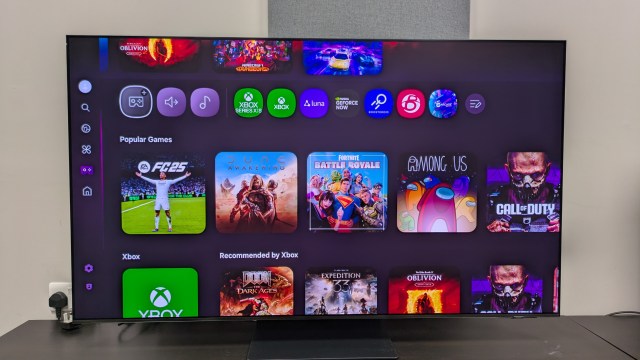
One of the best features in Samsung’s Tizen interface is the Gaming Hub. A portal dedicated to all things gaming, the Gaming Hub features a wide range of cloud-based apps such as Xbox, Nvidia GeForce Now and Luna. It also has access to recommended Twitch streams and can detect your console when it’s connected, working as a launch page. Gaming Hub is one of the major reasons why Samsung TVs always feature in our list of the best gaming TVs.
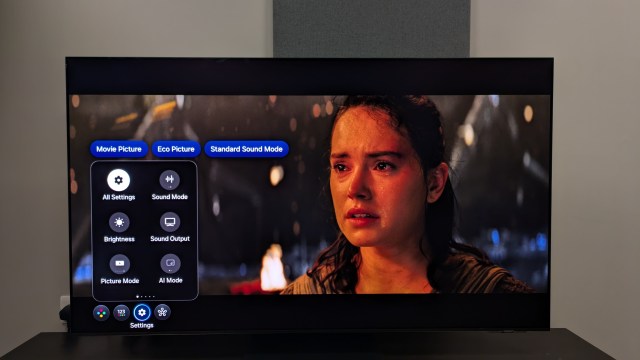
A more recent Tizen addition that seems to be inspired by LG’s webOS is the quick menu. Previously, accessing the settings on Samsung TVs was a long-winded process, but with the new quick menu overlay, accessing picture and sound modes, and the brightness setting is incredibly easy. Tizen 9.0 (the 2025 version) also remembers your most recent and frequently accessed settings and puts them at the top of the quick menu – useful if you regularly change one setting (I found I changed Dynamic Tone Mapping often while in Filmmaker Mode).
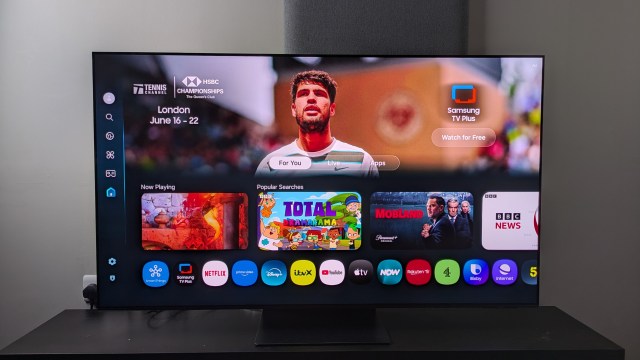
The Tizen homescreen is split into three sections: For You, Live and Apps. For You now hosts more AI-based recommendations based on your viewing history, and I found these to be largely accurate. Samsung has also introduced profiles, where individual recommendations can be made for each user – another feature found in LG’s webOS platform that was first introduced in 2024.
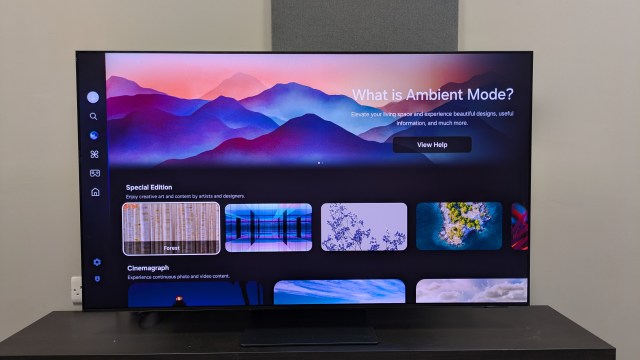
Samsung TVs have a mode (called Art on LED, QLED and mini-LED sets, Ambient on OLED sets) where pictures can be displayed instead of showing a blank screen when in standby mode. There’s also a new subscription-based Art Store option that lets you “stream” paintings from famous museums, a feature that was previously limited to Samsung The Frame TVs.
Finally, Tizen provides access to not only the best streaming services but also thousands of hours of free TV shows and movies via its Samsung TV Plus hub, which is similar to the LG Channels feature on LG TVs.
Searching for settings
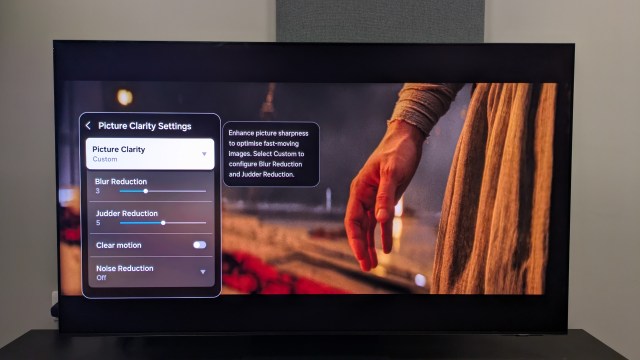
Tizen 9.0 may be the best version of Samsung’s smart TV platform I’ve used so far, but it’s still not perfect. One common criticism in TechRadar’s recent Samsung TV reviews involves the difficulty in accessing certain settings.
Although the quick menu mentioned above is a welcome feature, some settings are buried under a layer of menus, making them hard to find. For example, something as basic as Noise Reduction is found by going to Settings>All Settings> Picture Settings>Picture Clarity Settings>Noise Reduction, and this process involves scrolling down through multiple menus.
This deep nesting of settings makes life difficult for those who like to experiment with their TVs. And while Samsung provides a wide range of picture settings for viewers to customize the picture, Samsung could have made these easier to access.
Final thoughts
Tizen may not be a perfect smart TV platform, but for years, it was trailing behind LG’s webOS. Although webOS is still my top pick for a smart TV platform, it’s great to see just how much Tizen has improved in this latest version.
For Samsung TV owners with an older version of Tizen, fear not: Samsung’s commitment to seven years of software updates for older models gives your old TV extended life. And having tested this latest version, I can say that Tizen 9.0 is the best one yet.
You might also like
Whether it’s during my time testing TVs at TechRadar or back in my AV retail days, one aspect of TVs I like to explore thoroughly is the smart TV platform, also known as the Operating System (OS). The best TVs not only deliver great picture and sound quality (although great…
