You don’t have to pay for Google Gemini to comment on what you’re looking at on your phone anymore

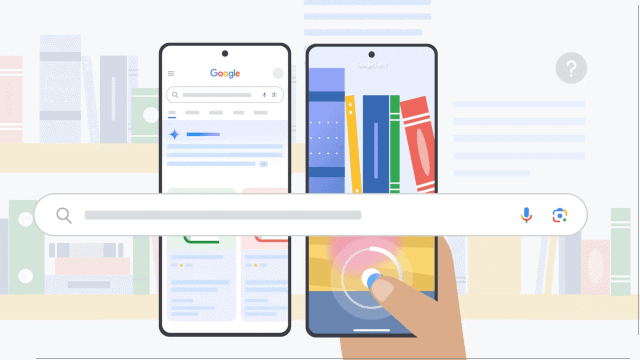
- Google has made Gemini Live’s screen and camera sharing features free for all Android users.
- The release reverses the previous subscriber-only option.
- The feature lets Gemini respond to real-time visual input from your screen or camera.
In a surprise twist and a reversal of its earlier paywalled plans, Google has announced that Gemini Live’s screen and camera sharing features are now rolling out for free to all Android users. No subscription or Pixel ownership necessary, just Gemini Live, accessible to anyone with the Gemini app on Android.
This update means your AI assistant can now see what’s on your screen or through your camera lens and react to it in real time. Gemini Live with screen sharing lets you show Gemini a webpage, a spreadsheet, or a tangled mess of app settings and ask for help. Or you can point your camera at a real-world object, like a product label, a chessboard, or a confusing IKEA manual, and let Gemini identify and explain what you’re looking at.
The feature first debuted earlier this month, but only for Gemini Advanced subscribers and only for certain phones, such as the Pixel 9 and Samsung Galaxy S25. At the time, Google said the visual capabilities would eventually expand, but even then, only to other subscribers. Google apparently had a change of heart, or at least it claims to have decided to open up access because of how much people seem to like the feature. Now, it’s rolling out to every Android over the next few weeks.
We’ve been hearing great feedback on Gemini Live with camera and screen share, so we decided to bring it to more people ✨Starting today and over the coming weeks, we’re rolling it out to *all* @Android users with the Gemini app. Enjoy!PS If you don’t have the app yet,… https://t.co/dTsxLZLxNIApril 16, 2025
AI eyes
The idea for the feature is to make Gemini more flexible as an assistant. Instead of just answering questions you type or speak, it’s interpreting the world around you visually. The move also coincides with Microsoft announcing that Copilot Vision, its own version of AI eyes, is now available for free in the Edge browser. That might be a coincidence, though probably only in the way that you running into your crush outside their class in high school is a coincidence.
But while Microsoft’s Copilot lives in the browser, Gemini’s advantage is its integration straight into the Android ecosystem. No need to fire up Edge or download a separate tool. Gemini Live is baked into the same system that already runs your device.
The new ability fits with many of the other additions and upgrades Gemini has added in recent months. The AI assistant now comes with real-time voice chat, a new overlay so you can summon Gemini on top of other apps, and the inclusion of the long report writing tool Deep Research.
Once the new feature is live, you’ll see the option to “share screen” or “use camera” in certain Gemini prompts on Android devices. And because Google is giving this away for free, it sets a new bar. If Gemini can watch your screen and your camera without charging you for the privilege, what happens to the idea of “premium” AI access? The developers are probably hotly debating what AI features are worth paying for and how much to charge, when, at least for now, all of these tools become free relatively quickly.
You might also like
Google has made Gemini Live’s screen and camera sharing features free for all Android users. The release reverses the previous subscriber-only option. The feature lets Gemini respond to real-time visual input from your screen or camera. In a surprise twist and a reversal of its earlier paywalled plans, Google has…
