Canva launches Canva AI for coding, photo editing and spreadsheets
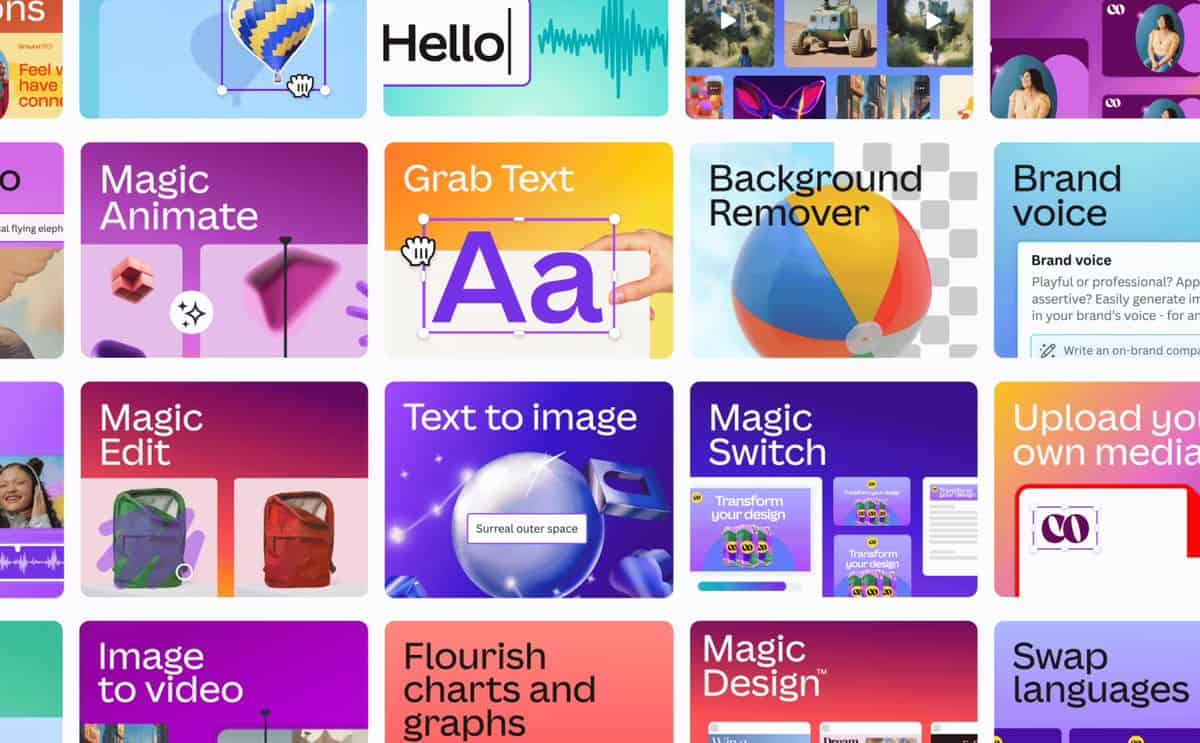
- Visual Suite 2.0 brings lots of new AI features to Canva
- Canva Sheets sits somewhere between a spreadsheet app and a project manager
- You can build your own custom, interactive mini-apps with Canva Code and Anthropic
In a bid to maintain its market share of the creative market amid increased pressure from Adobe, which has bid big on artificial intelligence, Canva has announced a series of upgrades to enhance worker efficiency.
With the Canva AI Assistant, users can generate images, copy and design ideas to set them off in the right direction, with document and mock-up creation handled by the assistant.
AI’s utility deepens with the launch of Canva Code, via a partnership with Claude-maker Anthropic, because users can also create their own min-apps like maps and calculators without extensive coding or development knowledge.
Canva co-founder and CEO Melanie Perkins shared an overview of all the new features in a blog post, noting the company’s goal to make design “simple, joyful, collaborative, and truly accessible.” The self-proclaimed “biggest product launch yet” comes in the form of Visual Suite 2.0, which promises to bring together all use cases such as presentations, videos, whiteboards and websites into one new format.
Among the key launches is Canva Sheets, a new spreadsheet template that sits somewhere between being a conventional spreadsheet for quantitative data and a project management app. Magic Insights and Magic Formulas use AI to “do the heavy lifting for you,” and the integration with the rest of Visual Suite 2.0 makes it easy to link to other content.
Boasting about the more than 16 billion times users have access Canva Magic Studio, Perkins shared some other handy AI enhancements, such as a text-filling Magic Write tool and Magic Resize for creating images in different aspect ratios for social media campaigns.
Adding even more functionality into the creative suite, Canva Code allows users to use natural language prompts to describe ideas for interactive elements, which are then built automatically without the need for any hardcore programming.
Visual Suite 2.0 is now available to try from the Canva homepage.
You might also like
Visual Suite 2.0 brings lots of new AI features to Canva Canva Sheets sits somewhere between a spreadsheet app and a project manager You can build your own custom, interactive mini-apps with Canva Code and Anthropic In a bid to maintain its market share of the creative market amid increased…
