You can finally try Windows Recall, if you have a Copilot+ PC with a Snapdragon chip

- After many delays, Windows Insiders can now try out Recall
- Windows Recall was pushed back after privacy concerns, which are addressed
- You’ll need a Snapdragon Copilot+ PC to give it a go
Windows Recall feature’s long road to actually being rolled out is finally coming to an end – sort of. After several delays, all centered around some major security and privacy concerns around the feature that was poised to take screenshots of whatever was on your PC’s screen every few seconds, Microsoft is ready for folks to give it a shot.
As part of the just-released Windows 11 Insider Preview Build 26120.2415 (KB5046723) for those enrolled in the ‘Dev Channel,’ you’ll be able to give Recall – which is still labeled as (Preview) – a go and try out the long-awaited and delayed, feature. You will need a Copilot+ PC powered by a Qualcomm Snapdragon chip to give it a go. Those with an Intel– or AMD-powered Copilot+ PC chip must wait for a future release that tosses in support.
And, of course, it’s not final software, so akin to a beta or any other preview, you’ll need to be okay with bugs, slowdowns, and crashes. Suffice it to say, it’s advised not to install it on your main computer.
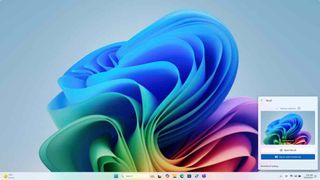
Recall, as you might suspect, is entirely optional, but the gist is that it can help you find items from the past or things related to a specific search term. Since it will be taking screenshots and recording what’s on your screen, it does, as the name suggests, let you recall information … or at least that’s the idea.
If you opt into Recall and Click to Do, the models for these tools will be downloaded, and you’ll go through a setup process explaining the features. Microsoft has made some changes based on the security and privacy concerns around Recall. If it detects confidential information such as “credit card details, passwords, and personal identification numbers,” then it won’t take a snapshot.
The blog post on Windows Insider detailing this rollout notes that “Recall won’t save or store those snapshots,” and a box to send feedback is built-in. You can also opt to exclude specific applications and websites from being captured in a Recall ‘snapshot.’ Certainly, all of this is a step in the right direction and closer to a full consumer release. Furthermore, if you opt-in and are using Recall, you can go through the library of ‘Snapshots’ and delete them as you choose.
Microsoft can’t see these snapshots either, with the announcement stating, “Insiders and Recall users, we want you to know your snapshots are truly yours. We do not send your snapshots off your PC to Microsoft or third parties and don’t use them for training purposes. Microsoft can’t access the keys to view your encrypted data, so we can’t restore your snapshots if you remove Windows Hello or restore your snapshots if you need to reset your PC or move to a new PC.” And to use Recall, you’ll need to authenticate with Windows Hello or another biometric.

Recall may prove to be a feature that is quite helpful, especially for finding things you remember seeing or writing but can’t precisely place. Click to Do seems like a lighter lift for Microsoft that can identify text and visuals within a snapshot – it will eventually be available outside Recall – to suggest actions that can be accomplished automatically with a click. Clever naming.
It can take text from a snapshot, and push that through to an application or search the web. For photos, it’s a bit more impressive with the promised capability of adding a blur or bokeh effect and even erasing unwanted objects from the image.
If you want to give Recall and Click to Do a go, they are now part of the latest Windows 11 Insider Preview Build, which is out now for Dev. You can find full instructions on how to install it on the Windows Insider blog.
Still, it seems that Microsoft is right on track with its updated timeline for Recall, as the company said folks would be able to try it in November 2024, and at a quick calendar glance, it’s November 22, 2024 – which, by the way, is not Black Friday.
You might also like

After many delays, Windows Insiders can now try out Recall Windows Recall was pushed back after privacy concerns, which are addressed You’ll need a Snapdragon Copilot+ PC to give it a go Windows Recall feature’s long road to actually being rolled out is finally coming to an end – sort…
