I tried DTS Clear Dialogue – following films without subtitles has never been easier

Have you ever struggled to understand what an actor’s saying during a movie, or to follow sports commentary on your TV over the background roar of the crowd? DTS says its new Clear Dialogue tool should solve those problems, and I’ve had the chance to see it in action at IFA 2024.
It all works thanks to a device-side-AI which, as it processes audio coming to your TV via a streaming service, console, or even Blu-Ray player, determines what part of the sound is coming from dialogue and what part is background noise. Clear Dialogue splits these tracks and independently adjusts them to boost talking and dampen the distractions.
Before going in I was worried this might mess too much with the sound composition of the content. We’re calling it noise but the music and sounds of film are often as important to the overall piece as what the actors say. Tweaking this balance could upset the overall vision if not handled with care.
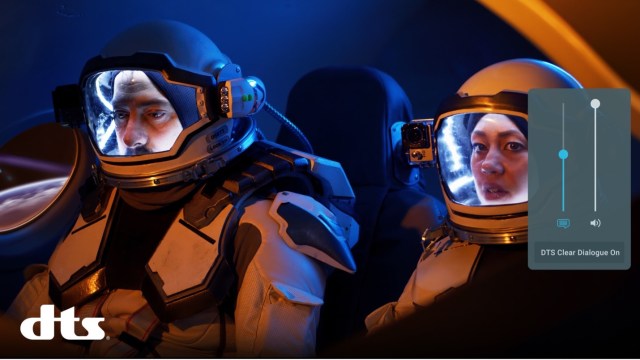
The first demo I was shown used The Martian, specifically that scene near the beginning when Matt Damon’s character is blown away in a storm (you can watch it below). It’s a chaotically loud segment, and rightfully so – you have to believe that this is a storm that could claim an astronaut’s life and is impossible for his crew to explore safely or easily.
With Clear Dialogue turned on, the default settings we used maintained this necessary chaos resulting from a cacophony of noise, but through it, I could much more easily make out what the astronaut crew were saying to each other through the comms in their suits. Whenever Clear Dialogue was switched off, I sometimes struggled to make out what was being said.

I was also keen to see how the AI differentiated between useful talking and background noise talking – such as the difference between commentary and the crowd noise of fans at a sporting event.
For that, I was shown Clear Dialogue being used during a stretch of the Tour de France bike race. It deftly separated the commentary from the crowd’s chatter and cheers, and made it much easier to make out what was being said by the commentators – while simultaneously maintaining much of the atmosphere the crowd’s noise was bringing to the event.
A bespoke solution
According to an Xperi survey of 1,200 US adults, 84% of consumers have experienced trouble understanding dialogue during TV shows and movies. One option is to rely on subtitles but they’re far from a perfect solution – I often find I’m missing details because I focus on the text more than what’s happening in the show, so I’ve started turning them off in games and shows if they’re switched on by default.
This Clear Dialogue solution also has the benefit of letting you manually tweak how the audio is mixed. We all have different hearing, different hardware setups, and different preferences, so it makes sense that an ideal solution wouldn’t be a one-size-fits-all model.
It’ll take some time for this system – or similar versions of the tech like Samsung’s Dialog Clarity – to be adopted widely, but it impressed me, solving a genuine issue I’ve experienced when watching some content on my home theater setup (an issue I expect you’ve had too). I’m excited for the day I’ll be able to use it more regularly.
You might also like
Have you ever struggled to understand what an actor’s saying during a movie, or to follow sports commentary on your TV over the background roar of the crowd? DTS says its new Clear Dialogue tool should solve those problems, and I’ve had the chance to see it in action at…
