Microsoft PowerToy is here to launch your apps exactly as you want them

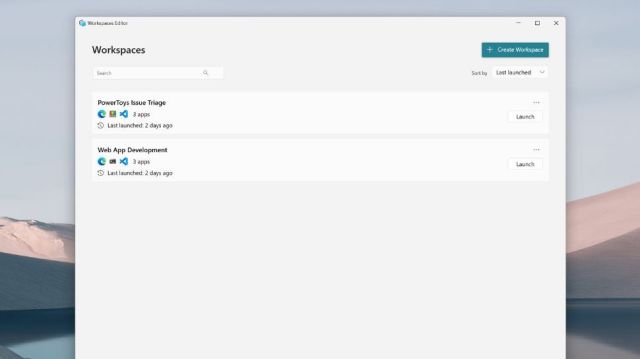
Microsoft has introduced a new PowerToy for Windows users to have a more consistent organized application structure, and it’s called Workspaces.
Described as “a set of utilities for power users to tune and streamline their Windows experience for greater productivity,” Microsoft already offers a number of PowerToys, such as Advanced Paste (for custom formatting), Always On Top and Image Resizer.
Workspaces adds the ability to create, save and launch sets of applications in customized desktop configurations, enabling workers to pick up where they left off.
Windows gains a new PowerToy – Workspaces
With Workspaces, users can save the precise layout and configuration of open applications. Then, when the Workspace is relaunched, all applications will open in the same positions as before.
Users can either open the Workspaces editor from the PowerToys setting or use the Win+Ctrl+` shortcut. A ‘Create Workspace’ option will be available within the editor, where users can then ‘Capture’ their preferred settings.
Microsoft summarized in a support article: “You can capture your desktop state as a new workspace using the editor, add arguments to apps to configure their state on launch, and pin the workspace as a desktop shortcut for quick-launching.”
Redmond also noted that, where a window may already be open prior to initiating the Workspace, it may either be reused or a new instance will open. Settings for this can be configured by using a CLI argument.
PowerToys can be installed via GitHub or Microsoft Store and require Windows 11 or Windows 10 v2004 (19041) or newer using x64 and Arm64 architectures.
More from TechRadar Pro

Microsoft has introduced a new PowerToy for Windows users to have a more consistent organized application structure, and it’s called Workspaces. Described as “a set of utilities for power users to tune and streamline their Windows experience for greater productivity,” Microsoft already offers a number of PowerToys, such as Advanced…
