Shock move by Microsoft: company actually makes Windows 11 better with taskbar improvements

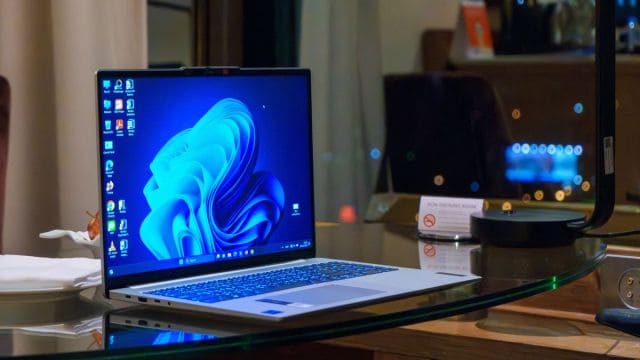
Windows 11 users could be treated to a range of minor (but useful!) tweaks which have been spotted in recent preview builds, including some nifty taskbar-related changes.
One notable change introduced with the latest preview of Windows 11 in the Beta channel (build 22635) is a taskbar tweak that means a jump list appears when you hover over an icon on the bar. This list pops up to allow you to access features in the app with a quick click – so for example, with the Snipping Tool, you can click to take a screenshot there and then.
Right now in Windows 11, to get these options you have to right-click the app icon on the taskbar (so having this work with just a hover is an extra bit of convenience, saving you an extra click).
Another new introduction spotted in this Beta build pertains to the ‘Continue from phone’ feature which has previously been spotted in testing with Windows 11. As the name suggests, it’ll offer some kind of functionality to allow you to continue a task from your Android phone on your PC. We don’t know how it’ll work yet – or how it will relate to the existing Phone Link feature in Windows 11 – because the ‘Continue from phone’ feature doesn’t do anything at all right now (later in testing it will, no doubt).
The fresh change here, first spotted by leaker PhantomOfEarth on X in the Start menu, is the addition of an option to have the ‘Continue from phone’ icon present itself on the taskbar when a ‘hand off’ is available (presumably meaning the ability to transfer something you’re doing on your smartphone to the Windows 11 desktop). In the new Beta build, you can turn this ability on or off under Settings (in Personalization > Taskbar).
New in Beta 22635.3858: “Continue from Phone” (CrossDeviceResume, system component). Doesn’t seem to open any window (yet?), just runs in the background. pic.twitter.com/y1fPq20DogJune 28, 2024
Other useful tweaks for better mousing and more
Elsewhere in another preview version of Windows 11, build 26257 in the Canary channel, an option to duplicate a tab has been added to File Explorer in the right-click menu for the tab.
There’s also a smart tweak for the mouse scroll wheel – the ability to change the scrolling direction (so when you roll the wheel towards you, the page will move up, instead of down – you can have it either way, basically). It’s also possible to turn off ‘enhanced mouse pointer precision’ to boot, if you don’t like that functionality.
If you want to try these features out, you’ll need to join the Windows Insider Program as a tester. Otherwise, you’ll need to wait for them to make their way through the various test versions of Windows 11, until they get to public release.
There’s always a chance that features in testing could be pulled by Microsoft, but hopefully, the taskbar-related tweaks in particular will be available to all Windows 11 users soon. Windows Latest believes that they’ll roll out to everyone as part of the Windows 11 24H2 update.
YOU MIGHT ALSO LIKE…

Windows 11 users could be treated to a range of minor (but useful!) tweaks which have been spotted in recent preview builds, including some nifty taskbar-related changes. One notable change introduced with the latest preview of Windows 11 in the Beta channel (build 22635) is a taskbar tweak that means…
