NotchNook gives MacBooks their own Dynamic Island

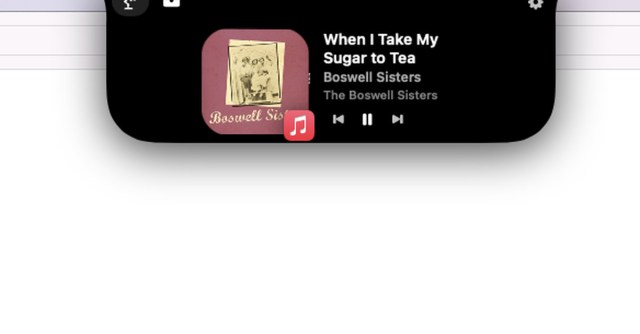
Just like the Dynamic Island, NotchNook expands out from the notch, revealing a “Nook” with basic media controls (sort of like Live Activities in iOS) and other customizable widgets. Then there’s a “Tray” tab that you can drop files or apps into; it’s similar to the macOS dock, except that the tray empties when you quit NotchNook.
You access this by clicking on a tab that blends in with the notch, or by swiping downward on your trackpad when your mouse cursor is over it. Or you can set it to drop down automatically when you bring your mouse over it.
NotchNook works on Macs with and without notches; for those without, you can customize it so it either looks like a full notch or simply appears as a small black sliver at the top center of your screen. The app lists other “coming soon” features, like the ability to zip or unzip files by dragging them into the app (which sounds fun and unnecessary, but that’s the vibe this app gives me anyway).
The app could still use some ironing out — I couldn’t figure out how to remove files from the Tray tab, which becomes the default tab once you put something in it. Also, swiping left or right is supposed to be like pressing the next or previous song button, but that didn’t work for me. And it only seems to support certain media apps, like Apple Music, as controls didn’t show up for other apps I tried. I also couldn’t locate a privacy policy from Lo.cafe, and the developer didn’t respond to my questions by press time.
But those issues aside, NotchNook feels like a very natural extension of macOS. I don’t feel like it does anything that I can’t already do without it, which is fine because it’s just fun to use.
Just like the Dynamic Island, NotchNook expands out from the notch, revealing a “Nook” with basic media controls (sort of like Live Activities in iOS) and other customizable widgets. Then there’s a “Tray” tab that you can drop files or apps into; it’s similar to the macOS dock, except that…
