From the Boox Palma to the Light Phone 2, it seems that everyone is looking for distraction-free reading, if only they had the right device. I don’t blame them: every time I pull out my phone to mindlessly scroll, I know my time could be put to better use. But as the owner of many fine gadgets, I also don’t really want another device in my life, so I was pretty excited to stumble upon a partial solution with a gadget I already have: the Playdate.
The Playdate makes a surprisingly good e-reader

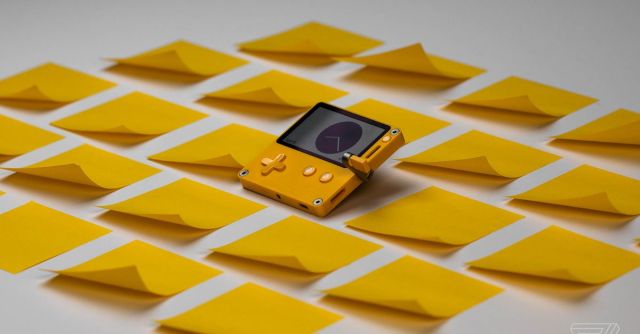
Yes, I’m talking about that little yellow Game Boy from Panic and Teenage Engineering, the one with a crank jutting out of its side. Since the launch of its on-device store, Catalog, the handheld has become home to quite a range of experiences. I’ve been playing tiny city builders and dungeon crawlers and egg touchers. Even still, I was surprised to discover Playbook, a full-fledged e-reading app. Perhaps even more surprising is that it actually works pretty well.
The app comes with a handful of classic books preinstalled, and I tested it initially by reading through most of Frankenstein. The Playdate’s black-and-white LCD screen is pretty great for displaying text, which shows up crisp and clear. The drawback is that it has no backlight for reading at night, and the screen is tiny. At one point, a single one of Mary Shelley’s sentences took up the entire display.
But, like the device itself, the app is also very charming. You can scroll through books using the crank, which is weird but fun in a tactile way (you can also use the D-pad instead). And instead of telling you what percentage of the book you’ve read or how much time you have left, Playbook has a candle that serves as a progress bar, slowly burning down as you read. It’s less scientific, but much more cozy, with the flame flickering every now and then.
There are missing features — there’s no way to jump around in a book without scrolling, for instance, and you can’t highlight passages — but the biggest hurdle might just be getting books onto your Playdate. It’s not as simple as syncing your Kindle library. Instead, you have to connect your handheld to a computer, put it in USB mode, and then drag and drop files into the right folder. Before that, you have to convert .epub files to .txt, which is relatively painless.
To test this, I grabbed a bunch of ebooks from Project Gutenberg, including Dracula, The Fall of the House of Usher, and The Turning of the Screw. (In retrospect, my choices may have been influenced by the idea of reading by virtual candlelight.) Everything I added to the app worked just fine, with the exception of The Complete Works of William Shakespeare, which caused my Playdate to crash every time I tried to open it, presumably because it’s so large.
Now let’s be real: a $5 Playdate app is not going to be your one-stop solution for reading more. It hasn’t been for me. I still keep a Kindle on my bedside table and carry paperbacks wherever I go. But just as the Playdate serves a complementary role, offering unique games that aren’t meant to replace a Switch or PlayStation, so, too, does Playbook.
The app isn’t my main tool for reading. But it works well enough and — crucially — is convenient enough that it’s great to have around in a pinch. Having a library of classic novels on a device the size of a credit card comes in handy — and, if nothing else, it’s helping keep me from buying another gadget.
From the Boox Palma to the Light Phone 2, it seems that everyone is looking for distraction-free reading, if only they had the right device. I don’t blame them: every time I pull out my phone to mindlessly scroll, I know my time could be put to better use. But…
