Your Apple Watch can now control your DJI gimbal – if you have the right model

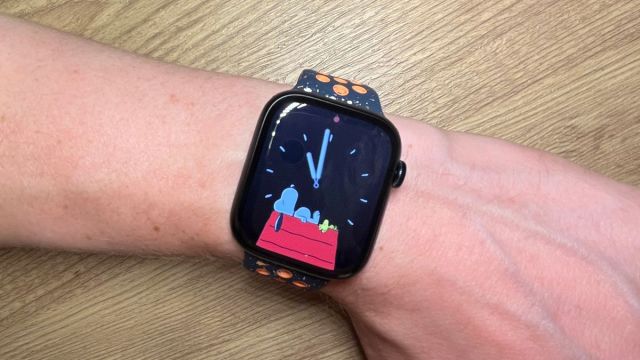
DJI, known for drones and other gadgets, is rolling out a new firmware update to its Osmo Mobile 6 and Osmo Mobile SE gimbals, allowing users to control them with just an Apple Watch.
According to the release notes, the smartwatch will have access to various functions like viewing the camera feed, changing the gimbal direction, adjusting the composition, and switching between portrait and landscape mode. Once you’re done shooting, “the captured photo or the first frame of the video” will appear on the watch face.
To use the feature, you need an iPhone and one of six supported Apple Watch models like the Series 9. The full list of devices can be seen on DJI’s FAQ page. There aren’t any restrictions on iPhone models, although they need iOS 16 or later. Similarly, the Apple Watches must have watchOS 9 or later onboard.
Assuming you have the right hardware, the next step is to update the DJI Mimo app to version 2.0.4. Once the firmware has finished installing, connect your Apple Watch to your iPhone, then open the Mimo app on both devices.
Remote operating
The FAQ then offers a few pieces of advice and things to be mindful of when using the remote control feature.
Apple Watches have a restrictive “video transmission bandwidth,” meaning the video feed you see on the watch face may look worse than the recording from the attached camera. This quality can vary between models, but DJI says there is no need to worry because the resolution on the final video won’t be affected.
It is possible to operate the gimbals from a distance. The company recommends being in an open area without any obstacles in the way and having the devices within eight meters (roughly 26 feet) of each other. DJI also suggests not using other Bluetooth devices or the DJI Mic 2 alongside an Apple Watch. Due to the way Bluetooth connections work on Apple hardware, you may experience interruptions.
If you are going to use something like the Mic 2, the company suggests connecting it to the rest of your setup “via the included mobile phone adapter.”
Other updates
There is more to the update beyond the remote control function, as DJI is optimizing two other features. ActiveTrack will perform better than before, “providing more stable subject tracking and a smoother shooting experience.” The AI Editor for Parents & Kids Mode is seeing a similar upgrade. Recordings “can be automatically edited and generated” onto the Mimo app.
Be sure to keep an eye out for the patch as it rolls out, as DJI notes that if the update fails, they recommend restarting the gimbal, relaunching the app, and reestablishing your smartphone’s Bluetooth connection. Install the patch again once you’ve completed these steps.
It’s unknown if DJI plans to expand the remote control option to other gimbals like OM 5. We reached out for more information. We’ll update this story if we hear back.
Until then, check out TechRadar’s list of the best Apple Watches for 2024.
You might also like

DJI, known for drones and other gadgets, is rolling out a new firmware update to its Osmo Mobile 6 and Osmo Mobile SE gimbals, allowing users to control them with just an Apple Watch. According to the release notes, the smartwatch will have access to various functions like viewing the…
