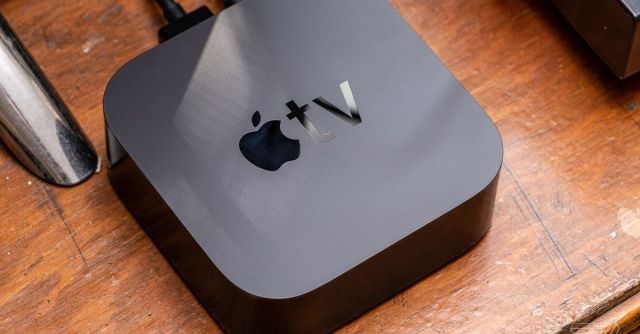
While Apple barely mentioned its smart home platform during its WWDC 2024 keynote this week, Apple Home users can still rejoice over an update discovered in the first iOS 18 beta: they’re getting the option to choose a “Preferred Home Hub.” This fixes the problem of your smart home “deciding” to run over Wi-Fi through a HomePod when there’s a perfectly good Apple TV using ethernet sitting right there.
Apple gives Apple Home users something they’ve been begging for

Eagle-eyed Redditors on the HomeKit subreddit spotted that, in the iOS 18 beta, there’s a new option to select your preferred Home hub instead of relying on Apple’s automatic selection, the current choice.
HomeKit users took to the thread to express their joy at this move, saying, among other things, that “This is the most important feature update in the history of Homekit,” “This is the greatest news I’ve ever received,” and “I can’t believe it! Apple actually listened!!!”
What this does is allow users to choose to have their Apple Home automations run over a hardwired Apple TV as their main Home hub, rather than a Wi-Fi-based HomePod, something widely acknowledged by users to make the smart home platform run faster and more reliably.
An Apple Home Hub, such as a HomePod or Apple TV, adds the ability to create automations, control devices remotely, and enable local processing for HomeKit Secure Video Cameras on Apple’s smart home platform.
If you only have one Home hub, this change won’t affect you, but for people with large Apple Home setups and multiple hubs, the inability to select which one the system is relying on has caused frustration over the years.
While Apple will tell you it chooses the best hub for the job, Reddit users will tell you this is not the case.
While Apple will tell you it chooses the best hub for the job, Reddit users will tell you this is not the case. When Apple Home defaults to an older model or one that uses Wi-Fi, some users report seeing slowdowns in automations and less reliability overall with their smart homes.
I personally regularly find my Apple Home running on a HomePod Mini in the far corner of my house rather than my hardwired Apple TV in my living room. And when it does, my automations run noticeably slower, and I often can’t access my HomeKit cameras.
Prior to this change, the only way to force Apple Home to use one particular hub would be to unplug all your other hubs. Even then, once you plug them back in the system often reverts to its original configuration. And while you can turn off Home Hub functionality on an Apple TV, you can’t on a HomePod.
But with iOS 18, Apple Home users will finally get the control many have been asking for. If you don’t want to wait until Apple releases iOS 18 in the fall, you can download the developer betas now. Fair warning: you’ll need it on all your Home hubs for this to work, and that’s probably not a great idea if you want a smooth-running smart home.
While Apple barely mentioned its smart home platform during its WWDC 2024 keynote this week, Apple Home users can still rejoice over an update discovered in the first iOS 18 beta: they’re getting the option to choose a “Preferred Home Hub.” This fixes the problem of your smart home “deciding”…
