Apple Passwords app works with Chrome and Edge – and that could tempt Lastpass fans to switch

Alongside a roar of applause for the Calculator app for iPad at Apple’s WWDC 2024 keynote, the crowd seemed pretty happy with the debut of Passwords as well. It’s an aptly named app that takes the popular password manager feature of iCloud Keychain and gives it a home outside of Settings.
Passwords is a dedicated app for Mac, iPhone, iPad, and Vision Pro that safely stores logins and passwords in an encrypted spot that needs to be authenticated with Face ID, Touch ID, or a password to open. It’s still free to use, and considering it’s a dedicated app, it’s now a true competitor for Lastpass and 1Password.
While some have thought that you might be locked into using it only with Safari – after all, it’s made by Apple, and Safari is Apple’s browser – we have good news.
A browser extension saves the day
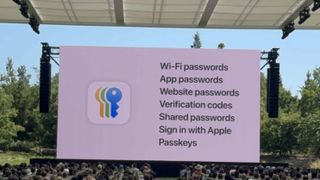
Apple Passwords will work with third-party browsers – Google Chrome and Microsoft Edge – via a browser extension. It’s actually the iCloud Extension, which also currently lets iCloud Keychain users have the autofill experience. This way, even if your browser of preference isn’t Safari, you’ll still be able to use the autofill functionality of Apple Passwords.
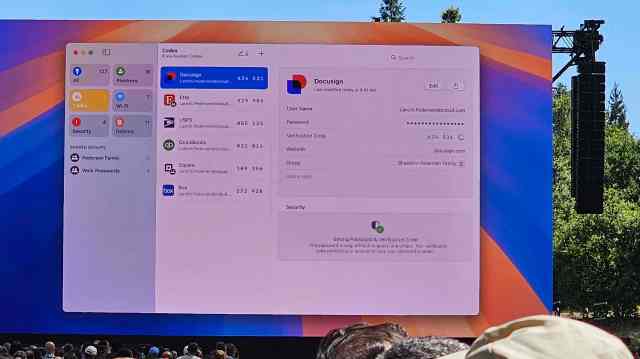
In a demo, I got to see the application’s interface in action; much like other password managers, you can see a full list alphabetically of all your logins or see it broken up categorically. Once more, Passwords is also home to Wi-Fi networks, which is super handy, and the application supports Passkeys and 2FA codes. For the latter, you can even import a library of 2FA codes from a different service like Google Authenticator.
You can also create a shared group, which could be handy for sharing, let’s say, streaming service logins with the family. Rather than having to be around to copy and paste individually, you can share your collection of logins. It all seems pretty handy, but to make accessing stored passwords even easier, Apple also made a Menu Bar experience for passwords.
Essentially, this lets the app icon – a single key positioned vertically – live at the top of your Mac. When you need an account login or password in a jiffy, click it and authenticate it. You can either scroll or search for a specific login to quickly copy and paste it. Pretty neat. Pulling a login from here or using the autofill functionality happened promptly.
Much like the current experience with iCloud Keychain or another password manager, it will warn you of passwords that have been reused, compromised, or even leaked and suggest changing them.
Maybe best of all is that your logins will sync across your Apple devices via the Passwords app for macOS, iOS, iPadOS, and visionOS, but can also be accessed on Windows via the web. Oh, and of course, when Passwords launches later in 2024, it’ll be free; you’ll just need an Apple Account.
You Might Also Like
Alongside a roar of applause for the Calculator app for iPad at Apple’s WWDC 2024 keynote, the crowd seemed pretty happy with the debut of Passwords as well. It’s an aptly named app that takes the popular password manager feature of iCloud Keychain and gives it a home outside of…
