How to set up eSIM on a new iPhone

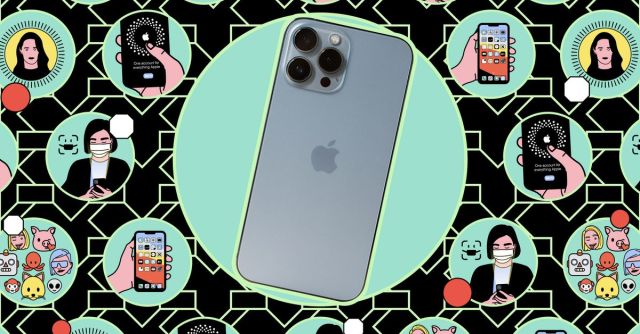
If you’ve purchased an iPhone 14 or 15 series phone in the US — or one of the latest iPads — you’ll notice it’s missing one key feature: a SIM tray. That’s because Apple’s gone all in on eSIM, which is a digital version of the tiny card that allows you to use your wireless provider’s network.
There’s good news and bad news here. If you’re switching from an older iPhone, activating an eSIM on your new iPhone is incredibly easy. If you’re switching from an Android phone to an iPhone 14, well, it’s less straightforward.
Whichever path you need to take, we’ve got some guidance for you.
To switch from an iPhone with a physical SIM card to an eSIM iPhone, follow these steps:
Confirm that you see your carrier’s icon and service bars on the top of your screen, and voila: you’re living the eSIM life. Just be aware that your old physical SIM card will no longer work, and if you want to switch back at any point, you’ll need to contact your carrier for a new one.
To switch from an Android phone to an iPhone 14 or 15 — whether you are using a physical SIM or already have an eSIM — you’ll need help from your wireless carrier. This may vary in difficulty depending on your carrier. For example:
No matter who your carrier is, remember to turn off RCS on your Android device before switching so you don’t miss any messages. In Google’s Messages app, you can do this by tapping the profile icon (or three-dot menu icon) in the upper right of the screen. Tap Messages settings > Chat features and toggle off Enable chat features.
If you do need to call your carrier to move your number to your new iPhone, make sure you’re connected to Wi-Fi and, if possible, call from another phone line. If you can’t do that, let the customer service representative know that you’re calling from the line you want to switch since you’ll likely be disconnected. They should be able to email you a QR code so you can finish the setup process yourself.
Update May 7th, 2022, 2:00PM ET: This article was originally published on November 9th, 2022, and has been updated to add the current iPhones and iPads.
If you’ve purchased an iPhone 14 or 15 series phone in the US — or one of the latest iPads — you’ll notice it’s missing one key feature: a SIM tray. That’s because Apple’s gone all in on eSIM, which is a digital version of the tiny card that allows…
