Another Fitbit feature bites the dust as Google forces owners to switch to Wallet

Fitbit owners are used to seeing features redesigned or scrapped completely since Google‘s takeover in 2021, but the latest change could ultimately be a good one. Google is shutting down Fitbit Pay and forcing users to switch to Google Wallet.
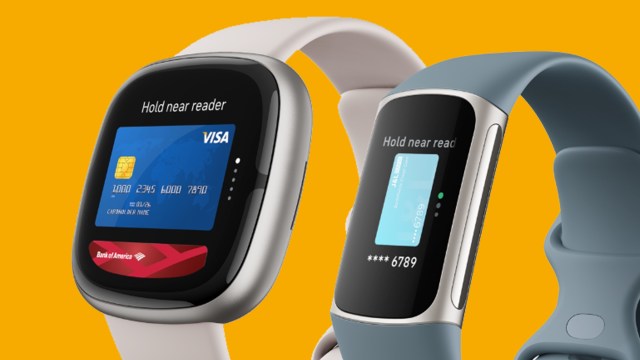
As spotted by Droid Life, Fitbit has sent emails to owners of its smartwatches and fitness trackers stating that Fitbit Pay will be fully replaced by Google Wallet on July 29. Google’s contactless payments app has been available on the Versa, Sense and Charge for a while, but this move will make the switch mandatory.
The change has been framed as a positive one by Fitbit and Google, with the former’s email stating that moving to Google Wallet “will increase the number of banks and cards that are available for contactless payments on your Fitbit device.”
Still, while few people will actively miss Fitbit Pay, the switch means you have to change your contactless payment method over the next few months (more on that below). In the meantime, you’re still able to use cards that are currently stored in your Fitbit Pay account, but you won’t be able to add any new cards to it.
The news follows a recent update to the Sleep page in Fitbit’s app, which didn’t go down well with fans as many labelled it a “downgrade”. Still, on the plus side, Google has also shown a willingness to bring AI-powered health-tracking features to Fitbit, including a new chatbot that will (apparently) hit Android “later this year”.
Hopefully, we’ll hear more about that, and other new Fitbit features, at Google IO 2024, which kicks off on May 14.
How to switch to Google Wallet
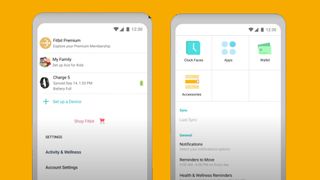
If you fancy switching from Fitbit Pay to Google Wallet in advance to avoid a last-minute panic, the process is fairly straightforward according to Google’s support page in the Fitbit help center.
In the Today tab of the Fitbit app, tap the icon for your device (above left), then tap the Wallet tile (above right). Now, hit Update to Google Wallet and sign into your Google account. From here, you just follow the on-screen instructions to add your card to Wallet.
Once you’ve set up Google Wallet, the Wallet tile in the Fitbit app will automatically switch to the Google Wallet tile for your contactless payments.
The change is an unsurprising end to a Fitbit feature that first landed back in 2017 during the brand’s heyday. Google Wallet is itself a replacement for Google Pay, which is officially shutting down by the end of June.
Hopefully, this streamlining of mobile payment experiences will make things a little less confusing, but then you never know which service Google will send to the Google Graveyard next.
You might also like
Fitbit owners are used to seeing features redesigned or scrapped completely since Google‘s takeover in 2021, but the latest change could ultimately be a good one. Google is shutting down Fitbit Pay and forcing users to switch to Google Wallet. As spotted by Droid Life, Fitbit has sent emails to…
