A third, cheaper Apple Pencil now sits in Apple’s lineup of styluses, giving iPad owners more choice than ever. And yet, that choice is fraught with compromises and caveats. There’s still not one Apple Pencil to rule them all, and that’s a problem for shoppers.
Apple Pencil joins the iPad confusion zone

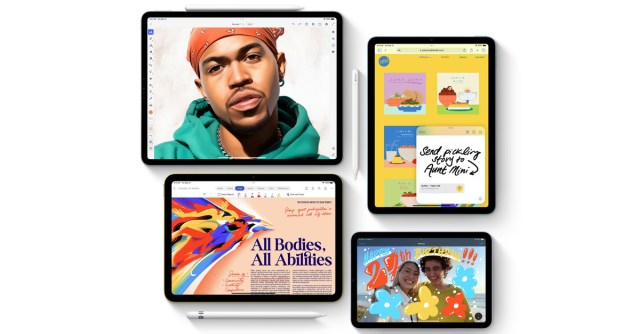
Let’s run down what was announced today. The new Apple Pencil is $79, can be magnetically attached to the side of your iPad, and no longer needs to be plugged directly into the iPad’s charging port for power, like the 2015 original. On the newest Pro models, it also supports the hover feature that shows where your Pencil is before you actually touch the screen. These are all good things!
But Apple made some strange omissions, too. Pressure sensitivity, a headlining feature of both of the existing Apple Pencils, is cut from this one. And although it attaches magnetically to the same spot on an iPad where a second-generation Pencil would be placed to charge and pair wirelessly, you can’t do either with the new USB-C Pencil without a wire.
The new Apple Pencil also doesn’t have the double tap feature that lets you switch back and forth between tools — I’m giving it a pass here, though. That feature has never been anything other than frustrating and inconsistent for me. At least it has tilt sensitivity?
a:hover]:shadow-highlight-franklin dark:[&>a:hover]:shadow-highlight-franklin [&>a]:shadow-underline-black dark:[&>a]:shadow-underline-white”>A listless value proposition
At a glance, the new Apple Pencil has some appeal. It’s the first one not priced at or above $99, which you can’t sneeze at. And at least it doesn’t have a USB-C port sticking out the top.
But its place in the lineup is a confusing one. This is the cheapest Pencil, but it doesn’t work with the cheapest iPad — that model is still stuck with a Lightning port. So, which iPad customer is supposed to buy this one instead?
The USB-C Pencil kind of makes sense for the $449 10th-generation iPad, which, until today, only supported the first-gen Apple Pencil with Lightning. Like the new Pencil, that iPad is all about tradeoffs: it sports a higher price and more modern design than the entry-level model, but it lacks lower-end features like a headphone jack, higher-end features like a laminated display, and support for key iPadOS features like Stage Manager.
If you have one of the higher-end iPads, though, some more advanced product features may be important to you — and this new stylus cuts one feature too many.
If you care about convenience, the new Pencil loses the biggest features that give the second-generation Pencil so much of that “it just works” juice: wireless charging and pairing. It’s so sneakily powerful that, no matter what, when I pull the Pencil off of the side of my iPad, it will be ready to go. Alternatively, if you care about using the Pencil as a creation tool, the loss of pressure sensitivity drops a critical feature for artists.
a:hover]:shadow-highlight-franklin dark:[&>a:hover]:shadow-highlight-franklin [&>a]:shadow-underline-black dark:[&>a]:shadow-underline-white”>Dealing with the lineup
I suspect that the feature decisions here are more about market stratification than simply cutting costs and reaching a price point. I suspect a lot of people are like me, and they’re fully willing to give up a pressure-sensitive tip and a double tap feature that only works when it feels like it if they can have the convenient wireless charging thing. Apple, I’m guessing, suspects the same thing.
But without those features, the Pencil is little better than cheaper alternatives, like, for instance, the USB-C Logitech Crayon. It doesn’t attach to your iPad magnetically and doesn’t do the hover thing, but it’s also $10 cheaper. There are also magnetic Pencil knock-offs, some of which have USB-C charging and even work surprisingly well, often for less than $30.
The confusion of the Apple Pencil is made worse by the scattered state of iPads in general right now. With iPhones, you know what you’re getting — the cheaper models are mostly distinguished by their size, while the pricier ones generally just get some hardware niceties. For the day-to-day, if you buy a regular iPhone, your experience is pretty much the same as on the Pro, just with not-quite-as-good cameras.
Not so with the iPads. If you really need to save money, you’re getting a six-year-old design and missing out on a lot of features — which, fine, it’s old and cheap. The 10th-gen iPad gives you that updated design and a bigger screen… but then it adds over $100 to the price and lacks key features. To get fully featured software while not paying for performance you don’t need, you have to buy at least last year’s iPad Air, which isn’t cheap at its $699 starting price. Then you get to the Pro models, and you again have to decide if you care more about convenient size or a better screen (the 12.9-inch model gets Mini-LED, while the 11-inch gets boring old LCD tech).
Maybe this Apple Pencil is a step toward something better. If Apple drops the cheapest iPad from its lineup and lowers the price of the next version of the entry-level USB-C model, then this would all make a lot more sense. You’d still be giving up a lot of the best features, and you’d still be tempted by the alternatives, but at least Apple would be giving iPad owners a clear choice between budget and full-featured. As it stands, you need a flowchart to buy an Apple Pencil, and that’s no good at all.
A third, cheaper Apple Pencil now sits in Apple’s lineup of styluses, giving iPad owners more choice than ever. And yet, that choice is fraught with compromises and caveats. There’s still not one Apple Pencil to rule them all, and that’s a problem for shoppers. Let’s run down what was…
